
Battle GFX Tool Pro BGM PUB
Updated Oct 29, 2025 · v1.8


Battle GFX Tool Pro Game Optimizer for iPadview, Potato, 90 FPS, 1080p Ultra HDR
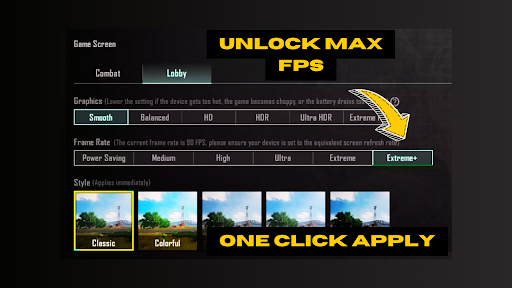
⭐️ GFX Tool Pro - Game Optimizer: Enhance Your Gaming Experience ⭐️ GFX Tool Pro - Game Optimizer is the ultimate app for enhancing your gaming performance. With advanced settings like iPad View, Potato Graphics, 90 FPS, and 1080p Ultra HDR, you can customize your gameplay for stunning visuals and smooth performance. Key Features ⭐️⭐️⭐️⭐️⭐️: ✅ Adjust Resolution: Customize the game resolution to match your device and preference. ✅ Enable HDR Graphics & FPS Levels: Unlock HDR graphics and different FPS levels for smoother gameplay. ✅ Fine-tune Graphics: Control anti-aliasing and shadows settings for superior graphics quality. ✅ Compatibility: Supports all game versions, including BGM, GL, KR, VN, TW. ✅ iPad View: Switch to iPad View for a wider field of vision. ✅ Unlock 90 FPS: Enhance your gaming with faster performance. ✅ Safe & Secure: We guarantee that this app is 100% safe and will not compromise your game account. How to Use ⭐️⭐️⭐️⭐️⭐️: 1. Download & Install: Get GFX Tool Pro - Game Optimizer from the Google Play Store. 2. Launch & Permit: Open the app and provide the required permissions. 3. Select Game Version: Choose the game version you are playing. 4. Customize Settings: Adjust settings like 60 FPS, iPad View, and more. 5. Activate & Play: Tap "Activate" to apply settings and enjoy enhanced graphics and performance. ⭐️ DISCLAIMER ⭐️ This is an unofficial application for specific games, not affiliated with or endorsed by any brands or developers. If you believe we have infringed your intellectual property rights or any other agreement, contact us at help.chartianz@gmail.com for prompt action. ⭐️ Important Note ⭐️ GFX Tool Pro is designed to provide detailed performance stats and tools to diagnose and fix issues. It is not a game booster and does not claim to enhance device performance magically.
2 years on Google Play
This app isn't currently appearing in any tracked top charts.