
Home Designs, Draw Floor Plan
Updated Jun 18, 2026 · v6.6

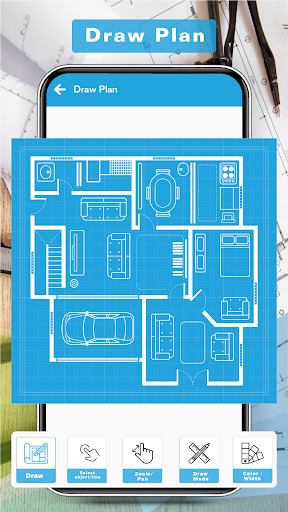


Get ideas for creating your home design and floor using the Draw Home Designer
Home Design and Draw Floor Plan App is a powerful and intuitive application for creating detailed floor plans in minutes. This app comes with a wide range of features, allowing you to quickly and easily design your dream home or office. With a simple interface, you can create walls, add doors, windows, and furniture, and customize your design with colors, textures, and patterns. You can also measure and draw precise dimensions for your floor plan, allowing for accurate scale drawing. With this app, you can create detailed and professional-looking floor plans with ease. The Draw Floor Plan and Home Design App make it easy to design your perfect floor plan. It starts with a simple drag-and-drop system that allows you to quickly add walls, doors, windows, and furniture to your design. You can customize your floor plan and home designs by adding texture, colors, and patterns. This app also includes a wide range of tools for measuring and drawing precise dimensions for your floor plan. This ensures that your design is accurate and to scale. Draw Home Designer app also allows you to easily share your plans with friends, family, and colleagues. You can share your home designs and floor plans via email, text, or social media. This makes it easy to get feedback from others and make changes to your design. You can also save your floor plans for future use and also edit your home sketch and floor design using our app Draw House Plan. The Draw Floor Plan App has a wide range of features to help you design your perfect floor plan. It includes a library of pre-made items such as walls, doors, and furniture. This allows you to quickly create detailed floor plans without having to start from scratch. Draw Floor Plan app also includes a wide range of customization options, allowing you to customize your design with textures, colors, and patterns. Using our app you can easily create the best design for your home and office quickly and very easily The Interior House Designer App also has powerful measurement and drawing tools, allowing you to accurately measure and draw precise dimensions for your design The app also allows you to import existing CAD files or images and use them to design your floor plan. You can also export your House designs in multiple formats, including PDF and JPG. With the app House Designer and Floor Planner’s powerful and easy-to-use tools, you can create detailed and professional-looking floor plans faster and easier than ever before. With Draw Floor Plan App, you can draw your dream home or office with precision and accuracy. Disclaimer Draw House Planner and Home Designer app is entirely safe and secure. All the House Designs are saved in your mobile storage. Draw Floor Planner didn't use any server. Apps Tech develops Draw Floor Planner and Home Designer applications if you have any kind of query or suggestions regarding Draw Home Designer, you can email us at cpctechapps095@gmail.com we love to hear from you All Suggestions are welcome Apps Tech.
3 years on Google Play
This app isn't currently appearing in any tracked top charts.