
Launcher OS 18 Phone 16 UI PRO
Updated Aug 5, 2025 · v1.0
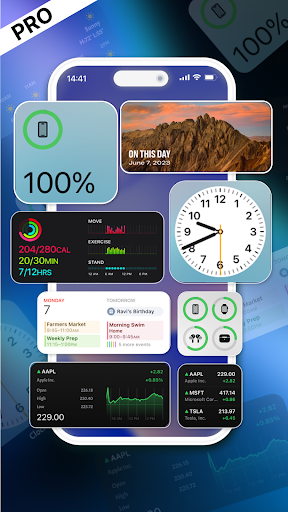


Launcher OS 18 Phone 16 Style Premium for Android
Transform your Android into a powerful and elegant OS 18–style device — without ads, interruptions, or distractions. Enjoy a fast, clean, and fully customizable launcher experience inspired by Phone 16, crafted for Android users who want premium design and performance. ✨ Why Choose This Paid Version? ✅ No Ads. No Distractions. ✅ Full access to all features without any interruptions. ✅ One-time purchase – no subscriptions or hidden fees. 🚀 Key Features: 🔹 iControl xCenters – Swipe down for an OS-style Control Center with quick toggles for Wi-Fi, Bluetooth, brightness, and more. 🔹 Dynamic Island – Experience multitasking like never before with a beautiful and interactive notification design. 🔹 Assistive Touch – A floating OS-style button for instant access to your favorite apps, settings, and quick controls. 🔹 Smooth Animations & UI – Designed to mimic OS 18’s fluid transitions and layout. 🔹 Fully Customizable – Wallpapers, widgets, icon packs, and layout to suit your personal style. 🔒 Why This App Uses Accessibility Services To enable the premium lock screen experience, Launcher OS 18 Pro uses Accessibility Services for: 🔐 Lock Screen Overlay – Allows a custom lock screen on top of other apps. 📲 Gesture Unlocking – Swipe gestures (e.g., from the top-left) to unlock. 🔔 Smart Notification Interaction – Shows and manages notifications on the lock screen. ⚙️ Non-intrusive Experience – No system modifications, only enhanced user interaction. ✔️ Strictly follows Google Play’s Accessibility API policies. ✔️ No data collection. No misuse of permissions. 🔐 Privacy & Security Your privacy matters: ✅ No data tracking or collection ✅ No background activity or analytics ✅ Uses only essential permissions 📋 Required Permissions (With User Consent): 📷 Camera – Access camera directly from lock screen 📞 Phone State – Show caller info without unlocking 🔔 Notification Access – Display notifications seamlessly 📂 Storage – Set wallpapers from your gallery 🖥️ Draw Over Apps – For lock screen and Assistive Touch ♿ Accessibility – For gestures and lock screen overlay ⚠️ Disclaimer: This app is not affiliated with Apple Inc. It is an independent launcher built to offer an OS-style experience on Android devices.
0 years on Google Play
This app isn't currently appearing in any tracked top charts.