
Bluetooth Mouse and Keyboard
Updated Apr 16, 2026 · v9.10.0-free
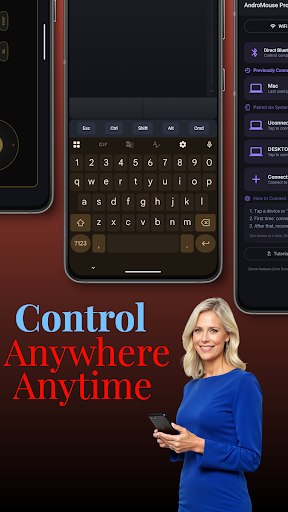


Turn your phone into a mouse and keyboard - control computer, tablet, phone
No server or software needed in your computer for Bluetooth connection The best and the original remote Android mouse and keyboard out there. AndroMouse converts your phone into wireless mouse, keyboard, and more. Connection with your computer is made either using your existing wi-fi or using Bluetooth. AndroMouse also features speech-to-type which uses Google speech recognition to make your work easier. The original app with over 2 million downloads!! Works with Windows/Mac/Linux ** Great for presentations. * Loads of new features are added in AndroMouse Relax in your bed and search YouTube with your voice. You need to run AndroMouse Desktop Server on your computer to use AndroMouse. Please visit http://andromouse.com to download free desktop server, to watch an intro video and for a quick tutorial. Mouse features: ★ Tap click ★ Two fingers tap to double click ★ Scrollbar ★ Easy drag and drop ★ Right click ★ Left handed mode ★ Middle mouse button Keyboard features: ★ Standard keyboard ★ Function and special keys Other features: ★ Automatic server detection ★ Speech-to-type ★ Connect using Wi-Fi (Windows/Mac/Linux) or Bluetooth (Windows) ★ Save remote connections ★ Clean UI Numpad features ★ Dedicated Numpad ★ Numlock Custom Remote ★ Create your own remote ★ Add custom buttons with your own actions ★ Add custom programmable macros Media player features ★ Media remote with media buttons ★ Control Windows Media Player/iTunes/YouTube/Netflix/Spotify ★ Browse your computer's media files System remote ★ Use this remote to restart/logoff/shutdown your system File Browser ★ Browse your computer's file in your phone ★ Click on a file to open it on your computer ★ Upload and download files from/to your device Presentation Remote ★ Great while doing your powerpoint presentation ★ Can also be used in photo viewer ★ Buttons to go next/previous slide ★ Integrated mouse functionality ★ Ability to view computer's screen on the app Shortcuts ★ Program your own custom shortcut keys AND MORE Please visit www.andromouse.net to learn how to use AndroMouse and download the server for Wifi mode.
11 years on Google Play
This app isn't currently appearing in any tracked top charts.