
i-ONE Bank - 기업용
Updated Jul 21, 2026 · v1.2.3
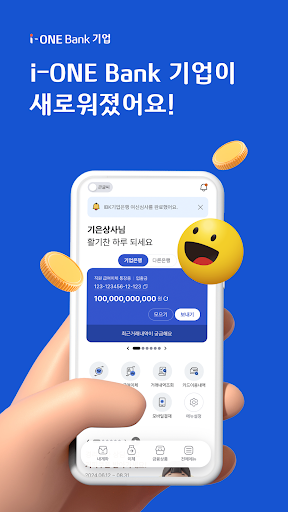


A simpler i-ONE Bank company for Industrial Bank customers
We save you time. Meet the new i-ONE Bank business. ■ Simplified login - Log in quickly with biometric authentication and pattern authentication. - Use corporate banking at multiple businesses with one personal certificate without having to obtain a separate business certificate. ■ IBK new registration at once - New customers can sign up for accounts, banking, cards, and additional services at once. - Transactions can be made easily and safely with digital OTP even without OTP. ■ Important financial schedules that are notified in advance - Use the notification box that takes care of everything from bankbooks and cards to financial schedules and security features. ■ Easy and fast transfers - Gather various transfers such as multi-account transfers and scheduled transfers in one place and transfer them easily. - Gather scattered funds to my account on a specified date. - Designate the My Phone Registration service and transfer quickly with your account password. ■ Main screen that is just right for me - You can check the balance and transaction history of your main account at a glance. - Set up My Menu to quickly move to frequently used menus. ■ Recommended popular financial products - You can check recommended products for me and easily sign up for financial products. - You can browse financial products without logging in. ■ Inquiries - IBK Customer Center 1566-2566, 1588-2588 - Overseas 82-31-888-8000 - Consultation hours Weekdays 09:00-18:00 [App access permission guide] Access permission is required for i-ONE Bank corporate use. - Calling, Management (Required): Access to device information is required to collect device information and phone number for mobile phone authentication, simple transfer, personal smart linkage, and IBK corporate asset management. - Storage (Optional): Used to save and load certificates, overseas remittance guides, transfer confirmation certificates, and temporary photo storage when taking ID photos. - Camera (Optional): Use the camera function to take ID photos, recognize QR codes when making foreign exchange QR repeat transfers and copying joint certificates, and submit documents. - Contacts (Optional): Used to load contact information when sending SMS after account transfer. ※ i-ONE Bank Corporation requests the minimum access rights to ensure smooth customer use of the app. ※ You can use the service even if you do not agree to optional access rights, but there may be restrictions on the use of some functions. ※ How to change access rights: Mobile phone settings > Application (app) management > i-ONE Bank Business > Permissions
1 year on Google Play
This app isn't currently appearing in any tracked top charts.