
Image Resizer in KB
Updated Apr 21, 2026 · v1.0.5


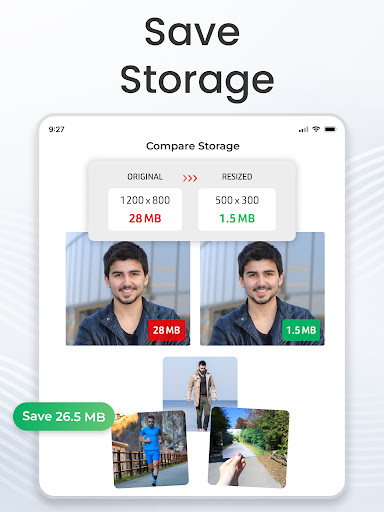
Resize photos to set dimensions, width & height clearly with Image resizer app.
Image Resizer to resize, reduce, and optimize your images with ease set custom dimensions, adjust file size from mb to kb. Photo resizer lets you easily adjust image dimensions and reduce file size by changing width, height, or percentage. Resize single or multiple images in batch from your gallery, camera, or files, set custom width and height, and get image size you need with just a few taps. Whether you’re preparing photos for online forms, social media uploads, websites, or freeing up device storage, you can easily prepare images for specific requirements and everyday needs. It’s also useful for passports, visas, ID cards, documents, and sharing images with size limits. ⭐ Key Features of image resizer: - Resize photos by Width & Height: Set the exact width and height for your photos and adjust their dimensions to match your requirements. - Resize images by Percentage: Scale images up or down using a percentage instead of entering exact measurements. - Batch Resize Multiple Images: Need to process several photos at once? Select multiple images and resize them together with batch image resizer. - Reduce Image File Size: Reduce the file size of large photos from MB to KB when you need smaller files for uploading, sharing, or saving storage. ⭐ Benefits of Photo resizer : - Online Forms – Adjust images to meet specific upload size requirements. - Email Attachments – Reduce image size for easier sharing. - Passport & Visa Photos – Adjust photos to required dimensions. - Websites & Blogs – Resize images for websites and online content. - Storage Saving – Reduce photo size in kb to free up space on your device. ⭐ How to use Photo resizer app? - Select the photos you want to adjust. - Choose width and height or select a percentage. - Adjust compression or file size settings if needed. - Tap Resize Photos to process your images. - Save or share the resized files. Whether you need to resize a single photo or process hundreds of images, Image Resizer gives you practical tools to adjust dimensions and reduce file size in one place. Resize your photos, scale images to the dimensions you need, and reduce photo size whenever you need a smaller image. Disclaimer: Our Picture resizer app is independently developed, unique and respects your privacy. We never share your data with third parties. Privacy Policy https://theonlineconverter.com/privacy-policy Terms of Service https://theonlineconverter.com/terms Need help or have feedback? Contact us at eclix.suport@gmail.com!
0 years on Google Play
This app isn't currently appearing in any tracked top charts.