
USB Remote
Updated Nov 19, 2018 · v1.93


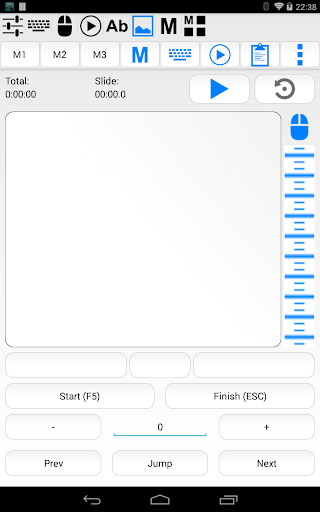

Turns your device into wireless USB keyboard and mouse. *Requires InputStick!!!*
Turns your device into wireless USB keyboard and mouse. ***Requires InputStick USB receiver and free InputStickUtility app (does NOT work over USB cable!)***. Works with any USB host (which supports generic USB HID keyboard and mouse) More info: http://inputstick.com USB Remote functionality: - keyboard (use your soft keyboard or custom keyboard screen) - mouse/touchscreen (3 buttons, scroll wheel) - presentation remote - macros (record actions in real time or use built-in editor) - group macros into customizable panels for easy access and single click execution - dictation (use voice recognition built in your soft keyboard, text can by typed on PC in real-time) - voice commands: execute pre-defined actions while dictating - numerical keyboard - media remote (playback, volume) - type from clipboard, text files, SMS and email messages - scan & type QR codes and bar-codes - home screen widget shortcuts for most used actions - works as "Tasker" plugin For more visit: http://inputstick.com/usbremote About InputStick receiver: InputStick acts as a proxy between your Android device and PC (or any other USB host): data received from USB Remote (or any other compatible app) is sent to USB host as keyboard and mouse actions. It pretends to be a generic USB keyboard and mouse device, so there is no need to install any software or custom drivers on the PC as it will see no difference between InputStick and generic USB keyboard. InputStick is easy to use: just plug it into USB port and after a few seconds it is ready to go. In most cases there is no need to configure anything. InputStick can be used in situations when software-only solutions will not work: working with BIOS, in recovery mode, or when PC has no network access or software installation is not allowed by system administrator. Currently supported keyboard layouts: Belgian (FR/NL), Canadian, Croatian, Czech, Danish, Dutch, English (UK/US/international/Dvorak), Finnish, French, German, Greek, Hebrew, Hungarian, Italian, Norwegian, Polish, Portuguese (BR/PT), Russian, Slovak, Spanish, Swedish, Swiss (FR/DE)
12 years on Google Play
This app isn't currently appearing in any tracked top charts.