
Phone Call - Dialer Home App
Video Downloader & hubMate Apps
Updated Sep 23, 2026 · v4.0




Caller ID, contacts, SMS, call history and call blocker for everyday calling.
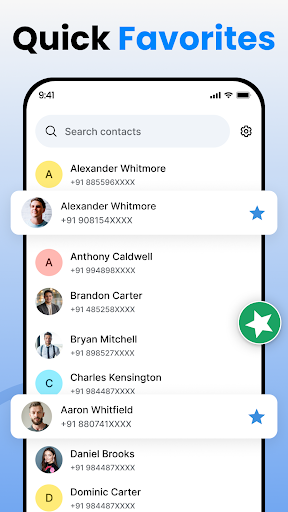
Make everyday calling easier with Phone Call - Dialer App, a simple and convenient app for managing phone calls, contacts, caller information, recent calls, and unwanted numbers from one place. Use an easy phone dialer to make calls, find saved contacts, check call history, view caller details, manage favorite contacts, and block selected phone numbers. PHONE DIALER Make phone calls quickly with a simple dial pad designed for everyday use. • Enter and dial phone numbers • Call saved contacts • Access recent callers • Quickly reconnect with previous callers • Open frequently used contacts • Manage everyday calls easily CALLER ID & CALLER INFORMATION Get useful caller information when managing incoming and recent calls. • View available caller name and phone number • See saved contact information • Review incoming call details • Check recent callers • Access phone numbers from call history • Manage unwanted callers Caller information availability may depend on your device, contacts, region, and available data. CONTACTS MANAGER Keep your phone contacts organized and easy to access. • View saved contacts • Add new contacts • Edit contact information • Delete contacts • Search your contact list • Add important contacts to Favorites • Quickly call saved contacts Your contacts stay conveniently connected with your phone dialer and call history. RECENT CALLS & CALL HISTORY Keep track of your recent phone activity in one organized place. • Incoming calls • Outgoing calls • Missed calls • Recent phone numbers • Saved contact details • Previous callers Open a recent caller to view available details or quickly make another phone call. CALL BLOCKER Get more control over unwanted calls. • Block selected phone numbers • Manage blocked numbers • Reduce interruptions from unwanted callers • Review and update your blocked list Call blocking functionality may vary depending on your Android version and device. FAVORITE CONTACTS Save the people you contact most often to Favorites for faster access. Quickly open important contacts whenever you need to make a phone call. DEFAULT HOME LAUNCHER Bring your calling tools and apps together on a simple home screen. • Open your dialer from your home screen • Swipe up to access all your apps • Swipe sideways to find favorite apps and shortcuts SIMPLE CALLING EXPERIENCE Phone Call - Dialer App brings together useful calling features including: • Phone Dialer • Phone Calls • Caller ID • Contacts Manager • Recent Calls • Call History • Call Blocker • Favorite Contacts • Caller Information • Smart Home Launcher Whether you want to make a phone call, find a saved contact, review missed calls, check recent callers, or block selected numbers, Phone Call - Dialer App keeps your essential calling tools easy to access. Download Phone Call - Dialer App and manage calls, contacts, recent calls, and caller information with one simple calling experience. IMPORTANT INFORMATION Some calling, Caller ID, call history, blocking, and contact features may require relevant device permissions and may vary depending on Android version, device manufacturer, region, carrier, and device configuration. Where required by Android, some calling functionality may require selecting Phone Call - Dialer App as the default phone or supported calling app. Caller information may not be available for every phone number. Phone Call - Dialer App does not guarantee identification of every unknown caller or blocking of every unwanted or spam call.
2 years on Google Play
This app isn't currently appearing in any tracked top charts.