
Image to PDF Converter Scanner
Updated Jun 3, 2026 · vv8


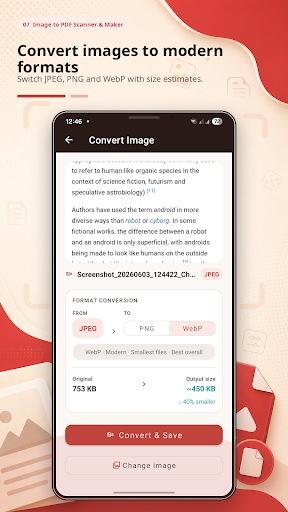


Image to PDF converter, scanner & maker. Scan, merge, compress — free & offline
Image to PDF Converter Scanner is the fast, free and offline way to turn photos, images and paper documents into clean, professional PDF files — right on your phone, with no computer, no sign-up and no watermark. Need to convert an image to PDF, scan a document with your camera, make a PDF from several photos, or merge and compress existing PDFs? This all-in-one PDF maker, converter and scanner does it all in just a few taps. ★ IMAGE TO PDF CONVERTER • Convert JPG, JPEG, PNG and WebP images to PDF • Make one PDF from many images (multi-page) • Reorder, rotate, crop and delete pages before saving • Choose page size — Fit to image, A4 or US Letter • Pick quality to balance sharpness and file size • Turn gallery photos or camera pictures into PDF ★ DOCUMENT SCANNER • Scan documents, notes, receipts, invoices and forms • Capture page after page in one session (batch scan) • Sharpen scans with Color, Grayscale and Black & White filters • Fine-tune brightness and contrast for clear, readable pages ★ ID CARD SCANNER • Scan the front and back of an ID, license or bank card • Place both sides neatly on a single PDF page ★ EDIT & ORGANIZE PDFs • Merge several PDFs into one document • Split a PDF or extract only the pages you need • Reorder pages and delete the ones you don't want • Compress PDF files to shrink their size for email and chat ★ IMAGE TOOLS • Resize images to any width and height • Convert images between JPG, PNG and WebP • Compress images to save storage and upload faster ★ PRIVATE & SECURE BY DESIGN • Works 100% offline — your files never leave your device • No account, no sign-up, no cloud upload • No watermark added to your PDFs, ever • Free to use PERFECT FOR EVERYDAY DOCUMENTS Receipts and expenses • Handwritten and class notes • Invoices and contracts • Business cards • Certificates and diplomas • Whiteboards • ID cards and licenses • Forms and applications • Homework and assignments • Screenshots and tickets WHY YOU'LL LIKE IT • Create a PDF in seconds — pick photos, arrange, save • A real pocket scanner, not just a photo converter • One app instead of five: convert, scan, edit pages, resize, compress • Clean, modern design with light and dark mode • No subscription and no watermark, unlike many scanner apps QUICK ANSWERS • How do I convert an image to PDF? Open the app, pick your images and tap Create PDF — done. • Can I scan with my camera? Yes — tap Scan to capture pages and clean them up with filters. • Can I merge or compress PDFs? Yes — open PDF Tools to merge, split, reorder or compress. • Does it work offline? Yes — everything runs on your device, no internet needed. Download Image to PDF Converter Scanner today and turn your photos, scans and documents into shareable PDFs — fast, free and completely offline.
4 years on Google Play
This app isn't currently appearing in any tracked top charts.