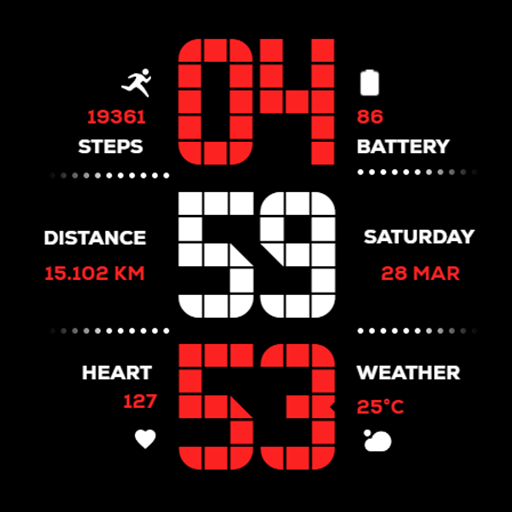
Matrix Digital WatchFace
Updated Mar 9, 2026 · vVARY


Modern Matrix-style digital watch face with 13 colors and health data.
Elevate your Wear OS experience with the perfect fusion of retro-digital aesthetics and high-performance functionality. Designed specifically for the modern user, this watch face brings a classic tech vibe to your wrist. Timekeeping: Precise Digital clock with full support for both 12H and 24H formats. Health & Fitness: * Detailed Step Counter for daily activity tracking. Real-time Heart Rate monitoring to stay on top of your vitals. Dedicated Distance Tracking displayed in Kilometers (KM). Smart Info: Integrated Weather updates and Date display at a glance. Battery Optimization: Features an Advanced Always-On Display (AOD) designed to maximize battery life without sacrificing style. 🎨 Customization Options 13 Vibrant Color Schemes: Match your watch face to your outfit or mood with a wide variety of colors. Device Optimization: Specifically tuned for seamless performance on Samsung Galaxy Watch and Google Pixel Watch. 📥 Step-by-Step Installation Guide Open Play Store: On your Wear OS smartwatch, navigate to the Google Play Store. Search: Use the search icon and type "Matrix Digital WatchFace". Install: Tap the Install button to download it directly to your device. Set as Default: * Long-press your current watch face. Swipe right to "Add Watch Face" or click the "+" icon. Select Matrix Digital from the list to apply. Personalize: Long-press the watch face again and tap "Customize" to choose from the 13 available color themes.
0 years on Google Play
This app isn't currently appearing in any tracked top charts.