
KidsNanny: Parental Control
Vartit Technology Private Limited
Updated Aug 21, 2026 · v1.0.82




Manage screen time, app usage report, geo-fence, block app or website and more.
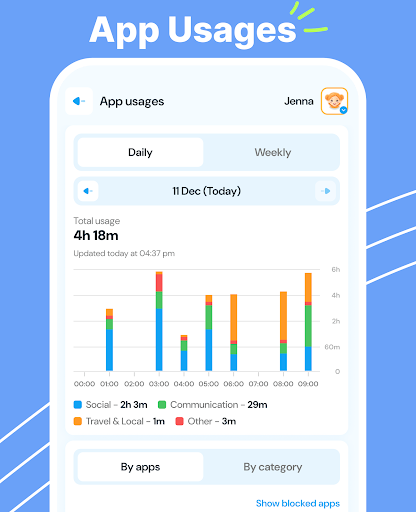
The KidsNanny: Parental Control is the perfect tool for promoting healthy digital habits and ensuring online safety for your children. With advanced AI-powered parenting feature like real-time monitoring, content filtering, GPS location tracking, screen time management, app and game blocking, and detailed activity reports, you can easily manage and ensure a balanced, safe, and secure digital environment for your kids. How can KidsNanny App help to protect your child? ◆ Screen Time Management Set limits using downtime and control phone utilization by defining daily app or category usage duration. Customize these settings based on specific weekdays to foster healthy device habits. ◆ Check-In Stay connected with your kids' whereabouts through our Check-In feature. Allow them to send their current location, providing you with peace of mind and enhancing their safety. ◆ Location tracker & Alert A highly accurate GPS location tracker helps you to create virtual boundaries and receive real-time notifications when your child enters or exits specific geo locations. ◆ App Blocker & Usage Limit Monitor and manage your child's app usage with detailed app Statistics, block inappropriate apps like Social media and dating apps, and ensure a safe digital environment by staying informed about new apps and potential risks. ◆ Web History View a list of visited websites to ensure they engage in safe, responsible online behavior. ◆ Web Blocking & Content Filter Safeguard your child's browsing experience by blocking websites based on domain name or category. Enable safe browsing, protecting them from harmful content like porn or cyberbullying. ◆ Instant Lock Instantly lock your child's device remotely when needed. ◆ Screen Scanner AI-powered monitors analyze screen activity in real time, detecting harmful content such as dangers, pornography, cyberbullying, drugs, and self-harm. ◆ Monitor YouTube Tracks videos watched on YouTube, YouTube Kids, and browsers.. Easily block or allow specific channels. KidsNanny offers a 7 day free trial when you sign up. No need to pay until you decide we’re right for you. Download now and empower yourself to create a safe and secure digital environment for your child. KidsNanny does not contain any advertisement. Note: Certain feature may require additional permission and device compatibility. Required Permissions for KidsNanny: • Location: To keep the track of all geo-fence events, Location permission is required. Make sure you turn on device Location Service after that, it will be running in the background for accurate locations. • Photos & Media: To scan and identify objectional photos & videos stored inside kid's device. • App Usage Access: KidsNanny requires app usage permission to get phone usage reports and show to parents. This permission can show you all the installed applications in child device and usage history of all the applications. Make sure you enable this permission to use special features like Screen Time, App Blocking and App Usage Request. • Draw Over Other Apps: This draw over other apps permission helps KidsNanny to show alert message when usage limit reached. • Accessibility: To limit screen time and break phone addiction of kids, Accessibility permission is required. We collect app data and interactions for screen time management. Web browsing history is collected for web blocking. • Notification Access: To block notifications of blocked applications. • VPN Service: To enable website blocking and restrict internet for blocked applications, the KidsNanny app requires the use of a VPN. It collects browsing data to ensure effective web blocking and enhance your child’s online safety. If you have any query or suggestion, please contact us at mailto:support@kidsnanny.ca - Find copies of our privacy policy on below link: https://kidsnanny.ca/privacy-policy/ - Find copies of our terms and conditions on below link: https://kidsnanny.ca/terms-conditions/
3 years on Google Play
This app isn't currently appearing in any tracked top charts.