
Accounts List
Updated Aug 30, 2026 · v27.0


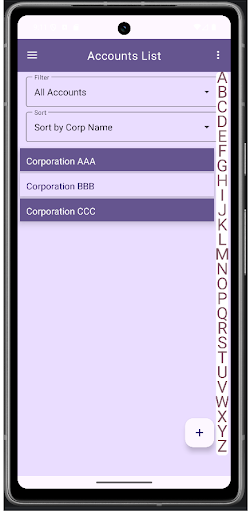


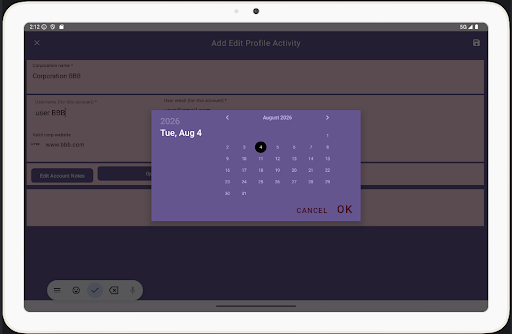
Manage accounts securely. Local storage with optional Dropbox backup.
No sign-in required. Accounts List stores your account information locally on your device. Optional backup to Dropbox is available and requires authorization through your Dropbox account. Easily Manage and Track Your Accounts Keep your accounts organized in customizable lists. Add, edit, or delete accounts with ease, and use the search feature to quickly find any account. Bookmark important accounts for fast access. Password Options Choose between two methods to manage passwords with your accounts: • Manual method: Store only the Account ID in the app and maintain passwords separately (for example, on paper or in another secure location). Encrypted storage method: Store passwords directly within the app. Passwords are encrypted and can only be viewed using your chosen passphrase. Key Features Account Lists Sort accounts by Corporation Name, Account ID, or Open Date. Change sort order from the top-right menu. Add & Edit Accounts Use the plus icon to add new accounts. Edit existing accounts using the pencil icon. Email and website entries are validated for proper format. Dropbox Backup & Restore (Optional) Back up your account data in JSON format and restore it when needed using your own Dropbox account. Dropbox authorization and sign-in occur within Dropbox, not within this app. Password Generator Generate strong, easy-to-type passwords including numbers, symbols, and capital letters. Suggested passwords can be added or deleted as needed. Data & Privacy This app does not require user registration or user accounts. All account information is stored locally on your device. Data is transmitted only if you choose to back up to Dropbox.
15 years on Google Play
This app isn't currently appearing in any tracked top charts.