
Color Picker - Eyedropper
Updated May 19, 2026 · v1.0.6


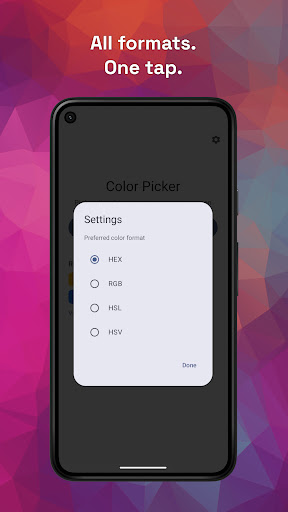


Pick any color from your screen instantly. Get HEX, RGB & copy in one tap.
Color Picker is a fast, simple way to grab colors from anywhere on your screen. No bloated toolset. No unnecessary extras. Just the color you need, when you need it. How it works: • Open the app • Grant the required permissions • Tap Pick Color • Move to any app, image, or screen • Use the overlay to sample a color instantly Some apps may block screen capture, which can affect color accuracy. Color Picker is designed for quick, no-fuss use. Once started, the overlay lets you pick colors across your device without staying inside the app. Features: • Pick colors from anywhere on your screen • Floating overlay picker • Supports HEX, RGB, HSL, and HSV formats • Copy color values with one tap • Fast, lightweight, and easy to use Built for simplicity: Some color picker apps are packed with features you may never use. Color Picker focuses on the essentials - start the picker, grab your color, and move on. Permissions: This app uses Android screen capture and overlay permissions to detect and read pixel colors in real time. These permissions are required for the app to function. Privacy: This app does not collect, store, or share personal data. Screen content is processed locally on your device and is never transmitted or saved. Ads: This app may display ads provided by Google AdMob, which may process limited device or usage data in accordance with their own privacy policies. Need a color quickly? Open, pick, copy - done!
0 years on Google Play
This app isn't currently appearing in any tracked top charts.