
OS Launcher 18 - iLauncher OS
Updated Apr 8, 2026 · v10.0

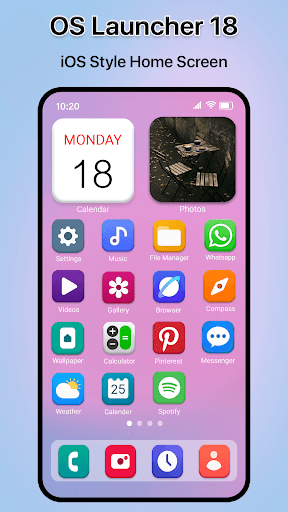


Clean OS-style launcher with smooth animations & widgets.
Experience the latest OS 18 style on your Android device OS Launcher 18 – iLauncher OS transforms your Android phone into a smooth, modern OS 18-style launcher. Enjoy the Phone home screen experience, clean design, and fast performance with powerful customization options. ✨ Key Features of OS Launcher 18 - iLauncher OS 🍎 OS 18 Style Home Screen Get a realistic OS launcher 18 experience with app icons, layout, and animations inspired by the latest interface. 🎛️ OS Control Center Swipe to access quick controls like Wi-Fi, Bluetooth, brightness, volume, and more — just like an Phone control center. 📂 App Library & Smart Organization Automatically organize apps into categories using an Home OS-style App Library, keeping your home screen clean and minimal. 🧩 OS Widgets Support Add beautiful OS widgets for clock, weather, calendar, and more to personalize your home screen. 🚀 Smooth & Fast Performance OS Launcher 18 is optimized for speed, smooth animations, and low battery usage — perfect for daily use. 🎨 OS Icons & Themes Use Phone-style icons, wallpapers, and themes to complete the full OS launcher experience. 🔒 Privacy & Control We respect user privacy. Required permissions are only used to enable launcher features like notifications and widgets. If you love the OS look and feel, this launcher brings the best of Phone UI to Android — simple, elegant, and easy to use.
1 year on Google Play
This app isn't currently appearing in any tracked top charts.