
Wifi Booster- Network Analyzer
Updated Jul 22, 2026 · v1.1.15


Scan, optimize & boost your WiFi speed with one tap! Fix connection issues.
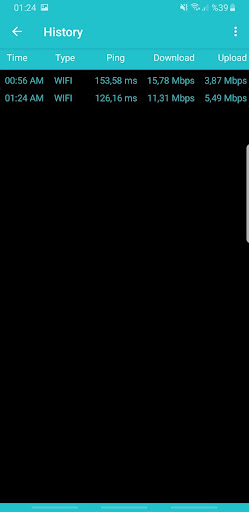
Tired of slow, unstable WiFi? Weak signal ruining your streaming or gaming experience? WiFi Booster is your comprehensive tool to understand, analyze, and improve your wireless network performance. ✨ Key Features: · Accurate Speed Test: Measure your real-time download and upload speeds along with ping (latency) to verify your internet plan's performance. · WiFi Analyzer & Scanner: Discover all nearby WiFi networks, see their signal strength, channels, and security types. Identify congested channels to find the clearest one for your router. · Signal Strength Meter: Visualize your WiFi coverage with an easy-to-understand meter. Find weak spots in your home or office to optimally place your router or add extenders. · Network Insights & Security Check: Get basic information about your current connection and insights into its security configuration. · Ping & Latency Monitor: Essential for online gamers and video calls. Track your connection's responsiveness to ensure smooth, lag-free sessions. · Optimization Guidance: Receive clear, actionable tips based on your network analysis, such as suggestions to switch to a less crowded WiFi channel. · User-Friendly Design: Navigate with ease through a clean, modern interface designed for all users, from beginners to tech enthusiasts. 🔧 How to Use WiFi Booster: 1. Scan: Launch the app to automatically scan and list all available WiFi networks around you. 2. Analyze: Review the detailed analysis of your network, including signal quality, channel overlap, and speed test results. 3. Optimize: Follow the app's personalized recommendations to adjust your router settings (like changing the WiFi channel) for a better connection. 4. Enjoy: Experience a more stable and potentially faster WiFi connection for streaming, gaming, browsing, and working. 📈 Ideal For: · Gamers seeking a more stable connection and lower ping. · Households streaming HD/4K videos without buffering. · Professionals relying on stable video conferences while working from home. · Users with multiple devices connected to a single network. · Anyone troubleshooting slow internet speeds or weak WiFi signals. 📋 Important Note on Permissions: To provide accurate analysis of nearby WiFi networks and channels (especially on Android 10 and above), the app requires location permission. This is a standard system requirement for WiFi scanning. We take your privacy seriously. We do not collect or store your personal data or network passwords. All analysis is done locally on your device.
0 years on Google Play
This app isn't currently appearing in any tracked top charts.