
ベル打ちMax!! - 2タッチ式で日本語入力
Updated Aug 22, 2026 · v5.0.14


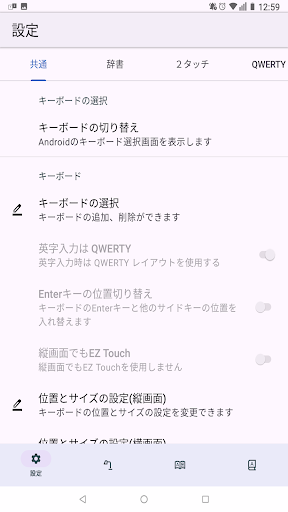


This app allows you to comfortably input Japanese and English using a two-touch input method (pager-style input). It's ad-free and free. The QWERTY layout is also highly functional!
By specializing in two-touch input (pager-style input), we were able to create a "free app" (this was driven by a desire to revive two-touch input, and also serves as a promotional tool for the enhanced paid version, "Rakuuchi Max!!"). ● Compatible with Android 8.0 and later (more precisely, 7.1 and later?) ● By specializing in two-touch input (pager-style input), we were able to reduce the number of settings. ● Limited to "two-touch" pager-style input (NicoTouch layout is supported in the paid version) ● Adjustable column width for comfortable input on a wide range of tablets and small smartphones with two-touch input (EZ Touch and other detailed settings are available in the paid version) ● Changes the display on the keycap after pressing the first key with two-touch input ● Supports high-speed input with two-touch input ● Voiced and semi-voiced consonants can be converted using 0-4 or 0-5, or by pressing the character type conversion key (key_10) with two-touch input ● After pressing the first key with two-touch input, half-width numbers can be entered by pressing the Enter key (half-width numbers can also be entered by using 9-1 to display full-width numbers and then pressing the character type conversion key (key_10)) ● Alphabet input is limited to the QWERTY keyboard ● On the QWERTY keyboard, uppercase English letters appear with an upward flick. ● On a QWERTY keyboard, swiping down on the top row of keys will display numbers. ● On a QWERTY keyboard, major symbols can be entered with a downward swipe. Furthermore, combining left and right swipes allows you to enter all half-width symbols (within ASCII). For example, swiping up on the "j-" key enters "J," swiping down enters "-," and swiping left enters "_." (A key layout chart will be released later.) ● On a QWERTY keyboard, swiping left on the "b," and "n." keys enters "," and "." respectively. ● An enhanced version, "Rakuuchi Max!!" (paid), is also available.
0 years on Google Play
This app isn't currently appearing in any tracked top charts.