
ScreenCoach - Parental Control
Updated Aug 20, 2026 · v1.77.2




Screen Time Management where kids can earn more screen time, allowance or both!
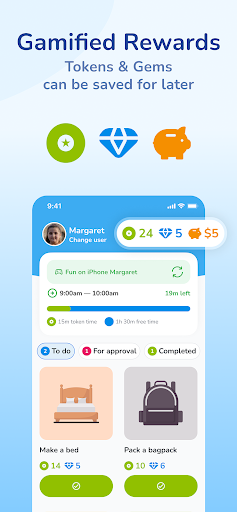
Tired of the constant struggle to pull your kids away from their devices? Introducing ScreenCoach - Your Ultimate Screen Time Manager for the Whole Family that Rewards Good Habits! START YOUR 30-DAY TRIAL (OR TRY OUR NO-CARD TRIAL) BY DOWNLOADING ScreenCoach TO YOUR PARENT DEVICE Discover ScreenCoach, the life-tech balance superhero that makes managing screen time a breeze for busy parents like you. It rewards your kids for non-screen activities and even includes an allowance manager! Key Features: Earn More Screen Time: Watch your kids eagerly complete chores, exercise, homework, and fun activities to earn extra screen time or pocket money (or both!). Multiple access times: For ultimate parental control, you can have several allowed access times set up in a single day. For example, 7-8am, 4-5pm and 6-7pm. Works across multiple platforms: When your child’s time is up on one device, they can’t simply pick up another - because it will also be blocked! Allowance Management: Reward your child, track and efficiently manage allowance / pocket money, including automated recurring expenses and income. Customizable Activities: Create a tailored list of engaging activities to keep your kids active and entertained offline. Also includes reminders & automated repeating activities - eg. brush teeth at 8pm every night! Modes for School Time, Fun time & Sleep: Switch to School mode to temporarily block games, social media, and streaming during study hours. At night, all Apps can be blocked except an audio app for listening to music or bedtime stories. Interactive Parent Dashboard: Keep tabs on your child's total device time, current pocket money, and the tokens they've earned by completing set activities. App Blocking: When screen time is up or during restricted hours, ScreenCoach automatically blocks access to apps. Child-Driven Fun: ScreenCoach is designed to be easy and enjoyable for kids, as they watch their device time grow with each completed activity. It really is a digital Screen Coach, teaching them healthy new life-tech habits for life. Join the ScreenCoach family today and create a harmonious home where kids embrace a balanced tech lifestyle, while still enjoying their screen time in a controlled and responsible manner. Download ScreenCoach now and experience the joy of hassle-free screen time management with a touch of fun and empowerment for the entire family! This app uses Accessibility Service's to block apps when not allowed to be used and to prevent the child from deleting the ScreenCoach app. If a device is only used by a parent, this does not need to be enabled. The first 30 days are free on all family plans.
4 years on Google Play
This app isn't currently appearing in any tracked top charts.