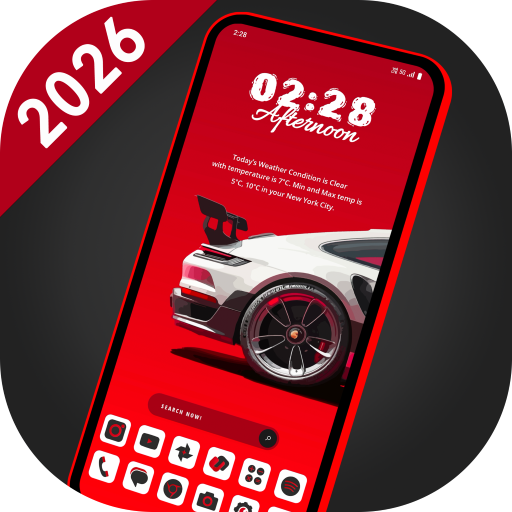
SuperCar Launcher – Car Themes
Updated Aug 20, 2026 · v6.0


55 car themes, widgets & icon packs. Customize like a true car lover!
🚗 SuperCar Launcher – Built for Car Lovers, Powered by Style Transform your Android home screen with SuperCar Launcher — a launcher crafted for supercar enthusiasts and customization lovers. With 55 stunning car themes, built-in widgets, 30+ icon packs, and high-resolution wallpapers, SuperCar Launcher delivers the ultimate personalization experience. ⚡ Quick Access Customization Panel 🔸 Long-press on an empty area of the home screen to instantly open the customization panel. From there, you can: 🧩 Re-arrange – Freely move and organize icons and widgets 🎭 Theme – Choose from 55 car-inspired themes 🧱 Add Widget – Add launcher or system widgets 🖼️ Wallpaper – Apply built-in or gallery wallpapers 📐 Home Screen – Adjust grid size, dock, icon size, and labels 🎨 Icon Pack – Apply from 30+ in-built icon packs 📱 App Page – Switch layout style, columns, and background 🌤️ Weather – Set your city for accurate weather updates Tap the ⚙️ Settings icon in the panel for full launcher options. 🔥 Key Features ✅ 55 Car-Themed Setups Race-inspired layouts with supercars, sports cars, and concept cars. Find them under Settings → Look & Feel → Theme – no extra downloads! ✅ 30+ Built-in Icon Packs Stylish icons that match each theme. Access from Settings → Appearance → Icon Pack – no downloads needed. ✅ 55 High-Resolution Wallpapers Custom-designed wallpapers with bold car aesthetics. ✅ Smart Custom Widgets Includes Weather, Digital Clock, Analog Clock, Battery, Music, and Calendar. ✅ Supports System Widgets Add and resize Android widgets with smooth drag & scale. ✅ Flexible Home Screen Customization Change icon size, hide/show dock, adjust grid layout. ✅ Customizable App Drawer Choose grid or list view, set columns, and tweak background colors. ✅ Swipe up on the home screen to open the App Drawer. ✅ Hide Apps from home & drawer ✅ Lock Apps with secure PIN ✅ Multi-Language Support, Available in 40+ languages for a global experience.
1 year on Google Play
This app isn't currently appearing in any tracked top charts.