Max PDF: Scan, Merge & Edit
Updated Aug 13, 2026 · v3.5




Scan documents, OCR text, edit, merge, annotate & secure PDFs.
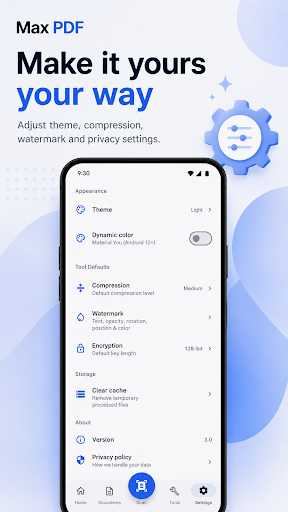
Max PDF turns your Android phone into a powerful document scanner and PDF workspace. Scan documents, convert images to PDF, extract text with OCR, organize your files, annotate and sign PDFs, merge or split pages, compress files, add watermarks, and protect sensitive documents all from one app. Whether you're scanning receipts, forms, notes, contracts, IDs, or everyday paperwork, Max PDF helps you capture, manage, edit, and share documents quickly. 📷 Scan Documents & Create PDFs • Smart Document Scanner: Automatically detect document edges, correct perspective, and create clean scans. • Multi-page Scanning: Capture several pages and combine them into one document. • Image to PDF: Turn photos and gallery images into PDF files. • OCR Text Recognition: Extract text from scans and PDF pages, then copy or share it. 📂 Keep Your Documents Organized • Find recent documents quickly from your document library. • Search PDFs by filename. • Mark important documents as favorites. • Organize files into folders. • Switch between convenient document views. This section is important because your Documents screen is now part of the product rather than just file management. ✏️ Read, Edit & Annotate PDFs • PDF Viewer: Smooth navigation, zooming, and page thumbnails. • Highlight: Mark important information with customizable highlights. • Add Text: Place notes and text directly onto PDF pages. • Draw: Write or sketch freely on documents. • Sign PDFs: Add signatures to forms and documents. • Stamps: Add APPROVED, REJECTED, CONFIDENTIAL, DRAFT, and other document stamps. 🛠 Powerful PDF Tools • Merge PDF: Combine multiple PDFs into one document. • Split PDF: Extract selected pages or separate large PDFs. • Rotate Pages: Correct page orientation. • Reorder Pages: Arrange pages in the order you need. • Compress PDF: Reduce PDF size for easier storage and sharing. • PDF to Images: Export PDF pages as images. This is much stronger than simply calling the section “Powerful PDF Tools” and listing three operations. 🔒 Protect & Personalize Documents • Password Protection: Secure sensitive PDF documents. • PDF Permissions: Control access to actions such as printing and copying where supported. • Watermarks: Add customizable text or image watermarks with adjustable opacity, rotation, and position. I would avoid putting “128-bit encryption” in the headline-level marketing copy. You can mention the specific encryption implementation deeper in the description if it's technically important, but “Protect PDF with a password” is what normal users understand and search for. 📤 Export & Share • Export documents in supported formats. • Adjust PDF quality and compression. • Share PDFs directly through email, messaging, cloud-storage, and other Android apps.
1 year on Google Play
This app isn't currently appearing in any tracked top charts.