
Endpoint Central
Updated Aug 12, 2026 · v26.07.02


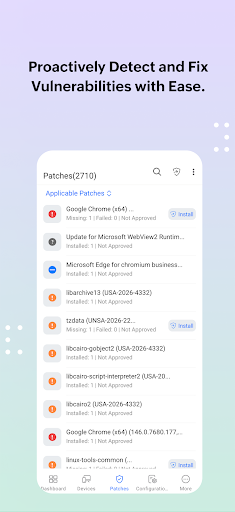


Endpoint Central helps admins to manage remote endpoints from a central location
This app will only work in configuration with the Endpoint Central Server available in your business network. ManageEngine Endpoint Central is a unified endpoint management and security solution designed and developed to safeguard and oversee IT devices running on Windows, Linux, Mac, iPad, iOS, Android, tvOS and Chrome. It offers features such as device monitoring and maintenance, remote troubleshooting, security policy enforcement, software deployment, patch management and OS imaging and deployment. Key features in the mobile app: Device Onboarding • Easily add or remove computers that need to be managed • Keep track of the agent installation progress to check whether your endpoints are connected to the server. • Manage all the endpoints situated in remote and sub offices. Inventory Management • View all the managed assets • Scan hardware and software to get all the details • Check software compliance and analyse software usage • Forbid prohibited applications Configurations • Suspend and resume already deployed configurations • Save configurations as templates Patch Management • Scan and identify vulnerable computers • Detect missing patches for applications (Windows/Mac/Linux/Third-party) • Approve/Decline patches • Monitor automated patch deployment tasks • View system health status Mobile Device Management • Scan your mobile devices • Remotely monitor and lock your managed devices • Trigger an alarm if your device is stolen. • Enable corporate wipe to protect sensitive corporate data • Clear and reset passcode according to your requirements • Locate and restart your mobile devices • Enable lost mode to track your devices. Remote Troubleshooting • Troubleshoot remote desktops from anywhere • Ensure users privacy by giving a choice to ask user for permission before connecting • Automatically detect and display multi-monitors • Take control of user or computer sessions Instructions for activation : Step 1: Install the Endpoint Central android app on your device Step 2: Once installed, select Cloud (or) On-premise option Step 3: For On-premise, give the credentials of server name, port, username and password being used for Endpoint Central Console Step 4: For Cloud, login using your Zoho account or other IDPs Awards and Recognitions : • ManageEngine recognized for the fourth time in the Gartner Magic Quadrant 2022 for Unified Endpoint Management Tools. • The IDC MarketScape named Zoho (ManageEngine) as a Leader in three 2022 IDC MarketScape vendor assessments for the Unified Endpoint Management (UEM) market • Endpoint Central bagged CDM Infosec Award 2020 under the 'Next Gen Unified Endpoint Management (UEM) solution' category • ManageEngine is honored to be recognized in the 2021 Midmarket Context: Magic Quadrant for Unified Endpoint Management (UEM) as a Notable Vendor. • Approved for use on US Navy networks
9 years on Google Play
This app isn't currently appearing in any tracked top charts.