
Endpoint Central MSP
Updated Sep 4, 2026 · v26.08.01



Automate system administration and perform security operations at blazing speed!
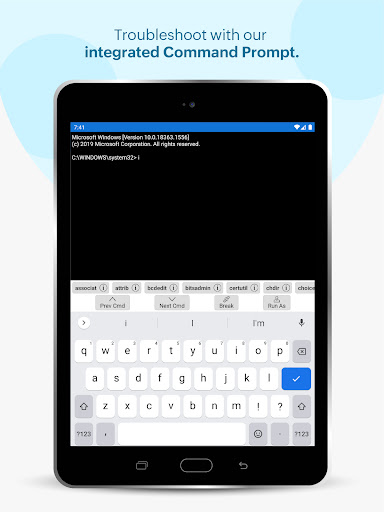
This app will only work in configuration with the Endpoint Central MSP Server available in your business network. Manage Endpoints on the go. Supported Features: Scope of Management, Patch Management, Asset Management, Configurations, Tools and Mobile Device Management ManageEngine Endpoint Central MSP android app formerly known as Desktop Central MSP is exclusively packaged for service providers to seamlessly connect and interact with customer servers, laptops and desktops across the globe. It enables IT service providers to manage customer systems on the go and frees them from being stuck in office to do these routines, thereby making them more productive. Perform the following tasks in just a few clicks using the app: • Manage Customer Computers • Add or remove computers to be managed using Endpoint Central MSP • Initiate installation of agents in the computers to be managed • Check status of installation of agents in computers required • Monitor frequency of agent contact to the server • Review information on each Remote offices Asset Management: • Overview of assets being managed by the app • Scan systems for generating information on hardware and software • Review information on Hardware assets being managed • Check software compliance status • Analyze software usage of any software to optimize resources • Prohibit software: Forbid usage of certain applications Patch Management: • Scan and identify vulnerable computers • Detect missing patches for Windows, Mac, Linux and 3rd party applications • Approve/Decline patches • Monitor automated patch deployment tasks • View system health status Advanced Remote Control: • Multi-monitor Support • Shadow User • Reboot during a remote session • Collaborative remote session • Audit remote sessions How to activate? Step 1: Install the Endpoint Central MSP android app on your device. Step 2: Provide your Endpoint Central MSP server URL Step 3: Sign-in with your Endpoint Central MSP credentials
8 years on Google Play
This app isn't currently appearing in any tracked top charts.