PDF Scanner App for Documents
Updated Aug 3, 2026 · v5.2.2


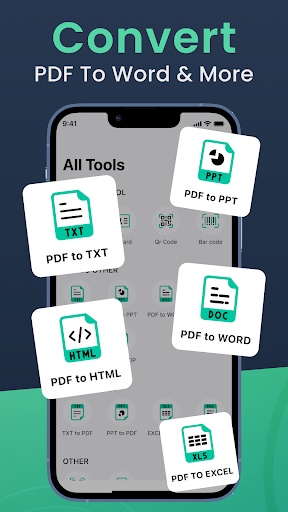


Scan docs, read PDFs, edit, sign & convert with smart camera scanner.
PDF Scanner App for Documents – Scan, Read, Edit, Sign & Convert Easily Looking for the best PDF scanner app for your smartphone? Whether you're scanning business documents, school assignments, invoices, ID cards, notes, or any paperwork, our PDF Scanner App for Documents turns your mobile device into a powerful document scanner app and PDF editor. This all-in-one app is designed for anyone who needs a fast, accurate, and user-friendly camera scanner to scan and edit documents on the go. With high-quality scans, easy editing tools, smart conversion options, and secure sharing features, it's the only PDF scanner free app you'll ever need. 🔎 Key Features of the PDF Scanner App for Documents 📸 Smart Camera Scanner Scan any paper document using your phone's camera. The app automatically detects edges, adjusts brightness, and removes shadows to produce high-quality scans. Whether you're scanning receipts, contracts, handwritten notes, or books, this camera scanner ensures crystal-clear results every time. 📑 PDF Scanner App Instantly convert scanned images into professional PDF files. This free PDF scanner app supports batch scanning, letting you scan multiple pages into a single PDF. You can also import files from your gallery or cloud. ✏️ PDF Editor & Annotation Tools The built-in PDF editor lets you annotate, highlight, underline, and strike through text. Add comments, shapes, and e-signatures. Ideal for reviewing documents or filling forms without printing. 🖊️ E-Sign & Signature Tool Quickly add your digital signature to any document. Simply draw or import your signature and place it on any part of the PDF. It's the fastest way to sign contracts, forms, and agreements with this PDF scanner app free. 📚 PDF Reader & Organizer Open and read PDF files smoothly. Bookmark pages, zoom in and out, and scroll easily. Create folders, rename files, and manage your documents efficiently within the app. 🔄 Convert PDF to Image & Image to PDF Seamlessly convert PDF files into images (JPG/PNG), or take pictures and save them as PDFs. This feature makes it a complete PDF converter app, ideal for personal, professional, or academic use. 💼 Why Choose This Document Scanner App? ✔️Free and easy to use ✔️Fast processing with clear output ✔️Smart auto-crop and edge detection ✔️Multiple scan modes: Single, Batch, ID card, Book ✔️Add watermark, password, or signature ✔️Export to PDF or image ✔️Share via email, WhatsApp, Google Drive, Dropbox, etc. 🏆 Use Cases 👨🎓 Students: Scan notes, assignments, worksheets 👔 Business Users: Scan contracts, invoices, receipts 💻 Freelancers: Sign and send forms, proposals 🏠 Home Use: Scan IDs, utility bills, health records This PDF scanner free app is ideal for everyday needs. You don't need bulky scanners or printers anymore, this app gives you everything in your pocket.
1 year on Google Play
This app isn't currently appearing in any tracked top charts.