
Battery Saving Analog Clocks
Updated Aug 31, 2024 · v6.9.2 (build 134)


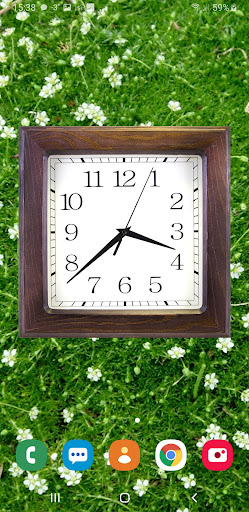


Live wallpaper, which saves the battery and show the time
Your screen will be with beautiful analog clocks, which are more battery friendly than many other live wallpapers. It makes you see the time all the time on your home screen and when your device is charging. Share with your friends! Try a lite version to estimate the quality of the wallpaper! Clockfaces: White (Default), Black, Digital, Gray, Quad wood, Roman, Rome transparent, Time, you can download additional as plugins from settings option named More clockfaces. Backgrounds: 5 built-in, own image from gallery, colors. Correcting clock size, position, rotation, transparency; inversion of colors (in the full version!). Seconds arrow modes: ticks, flowing, imitation of real clocks, linear shift or disabled (only in PRO). Arrows' colors (free for seconds, rewarded for minutes and hours). PRO version contain date with positioning options and adjusting color. You can control opening settings by double tap with Quick settings option. Also you can launch an alarm by double tap inside clockface with Alarm launcher option. Standalone application mode is an option which allows to launch this app by icon or from menu without needing to set it as a live wallpaper. It works as a screensaver app with screen off timeout. Controlling this option is available through the settings launched by double tap. It works as a screensaver in charging mode also, check it out from your android settings (usually placed in display - screensaver or similar). This mode has an option of auto shifting and scaling the clockface to prevent from pixel burning (useful for AMOLED screens). Additional information: Wallpaper supports phones and tablets (landscape and portrait orientation). Battery saving: Redrawing of clocks maximum one time per second with seconds arrow enabled (in tick mode of seconds arrow, FPS limit in this case affects only to accuracy of updating time) and one time per minute when disabled. Consumption of resources is only if visible. Frames per second limit. Choosing of textures quality. OpenGL ES 2.0 required. Some of the described functions are only available when purchasing the full version. An application can be extended to the full version by downloading the paid version. When you taking in-app purchases, you get lifetime access to the acquired functions, even if your phone changed or data is lost.
10 years on Google Play
This app isn't currently appearing in any tracked top charts.