
Meeting Minutes Pro
Updated Mar 22, 2026 · v3.7




Become a Pro @ attending, organizing, tracking, managing & distributing meetings
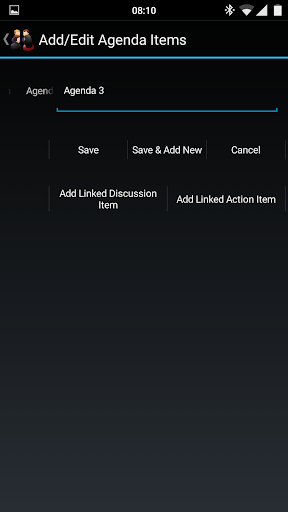
★★★ Buy with confidence. There is a free 3-day trial version ("Meeting Minutes Trial") available on Google Play that you can try first before purchasing this app ★★★ ★★★ Now with enhanced language support. HTML and MS Word XML formats support all languages that use Unicode encoding. PDF format supports all languages that use the Latin, Greek, or Cyrillic scripts ★★★ Meeting Minutes Pro is a simple but powerful, user-friendly, and intuitive app to Organize, Store and Track Meetings, Participants, Agenda, Discussion and Action Items. It has a simple easy-to-use UI coupled with rich functionality and features to increase your productivity and make you a pro at organizing, tracking, and managing meetings. It supports the following features: 1) Create, Update, Import, and View Meetings, Participants, Agenda, Discussion, and Action Items 2) Import Meetings and Participants from Calendar to save time and improve efficiency(requires Android ICS or above) 3) Sort and Filter Meetings, Contacts, and Action Items based on different parameters 4) Export/Email Meeting Minutes into a professional, simple, and clear PDF, MS Word XML, or HTML format. The Custom Labels feature within settings allows you to generate meeting minutes in multiple languages (please note that all languages might not be supported). 5) Export/Email Action Items into a comma-separated values file that can be used with any spreadsheet software 6) Sync Action Items to the Calendar 7) Export the full database or a single meeting for backup/recovery purposes. Exported files are encrypted to protect the contents. 8) Import database or meeting backup. Backup from the Free version can also be imported. 9) Schedule Automatic Backup. Note that automatic backups are only taken when the app is running. 10) Integration with device contacts. No need to enter all participant information manually anymore. Can just select the desired contact that is already present on the device. 11) Settings to control and make the app work the way YOU want. 12) Sync data between multiple devices (requires the add-on app Meeting Minutes Sync) Please refer the About page/screen of the app for license and copyright information.
14 years on Google Play
This app isn't currently appearing in any tracked top charts.