
AR Sketch Drawing & Tracing
Updated Jul 17, 2026 · v31.0.50


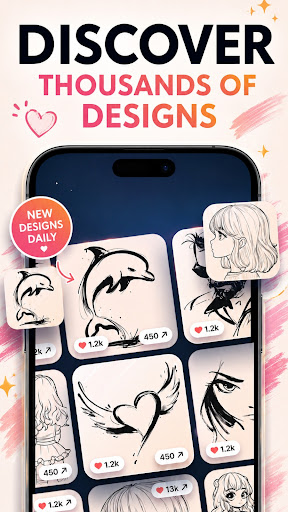


Line2Art: Trace drawings on paper with AR projector. How to draw step by step
Line2art: AR Tracing & Drawing - Trace Art is an easy AR draw app and art projector in augmented reality that lets you place a photo or template onto paper so you can trace drawing step by step—like a modern camera lucida. Just place your sheet, align the overlay, and start your sketch book practice anywhere: desk, wall, or canvas. Use your own photos or our growing sketch library Import a photo for photo drawing and trace instantly, or take a new picture and turn it into a shadow draw reference. Prefer ready-made ideas? Open the gallery with categories like anime, portraits, fashion, animals, cartoons, and simple objects (plus graffiti letters and tattoo stencil ideas). Pick a template and start AR sketching in seconds. What you can do Trace picture on paper with a clean AR projector overlay Scale, rotate, move, and align like a sketch projector app Adjust opacity for clear outlines or quick svg trace-style edges Lock/stabilize the image so the trace stays in place Switch between photo references, sketch book templates, or quick outline previews Practice fundamentals: shapes, shading, and proportions Great for beginners, kids, and artists If you’re starting out, this is the fastest way to learn: “see it, place it, draw it.” Parents and teachers can guide kids with drawing lessons. Hobbyists, muralists, and designers use it as a reliable trace art tool for studies and finished projects—perfect for neat graffiti guides or clean tattoo linework. Template categories you’ll find. Use the new Trace it or Draw AR Mode, view your image, share it, add to favourites and draw later. You can also learn to draw from new video tab. Anime & cartoons: faces, chibi, action, draw a stickman ideas Animals: pets, birds, wildlife, underwater Portraits: head, bust, gestures Fashion: outfits, silhouettes, accessories Everyday objects, logos, lettering New sketch AR packs drop weekly Why it helps you learn Immediate guidance for accurate proportions Builds muscle memory and line confidence Works for portraits, animal sketching, fashion drawing, scenery, logos, tattoo and graffiti planning Complements classic step by step drawing and grid methods Popular ways to use it Quick studies with import photo & trace Wall planning as a mural projector app (great for graffiti) Lettering, calligraphy, and trace art practice Tattoo stencil prep and clean line tests Classroom demos and hobby crafts Tips for best results Keep the phone steady with a tripod or books Start with high-contrast references for clear lines Lower screen brightness to avoid glare Begin light, then finish darker for clean results Whether you want fast how to draw practice, fun draw a stickman sketches, or polished photo drawing, AR Sketch & Draw makes it simple and fun. Download now and start your AR drawing journey step by step!
0 years on Google Play
This app isn't currently appearing in any tracked top charts.