
Tashkil Keyboard
Updated Jan 5, 2025 · v202012051.0B

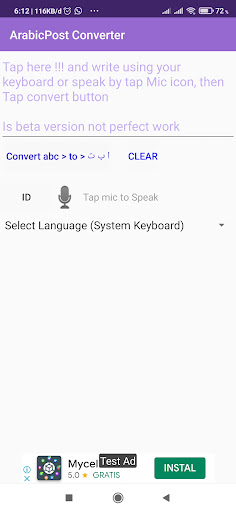


Tashkil Keyboard or Harakah Keyboard type your arabic with tashkil
Arabic typing is easier to read if there is harokat, this keyboard makes it easy for you to type Arabic with harokat accompanied by voice to text which converts the voice into Arabic writing extra features with arabicpost converter from Latin to Arabic How to use 1. Click set enable keyboard will enter keyboard settings, Check / Enable Arabic Harokat default and US default. Arabic 2nd 2. Click change keyboard harokat will appear keyboard menu select one Harokat keyboard a.Arabic Harokat default The main display is Arabic Latin second b. US default.Arabic 2nd main Latin display, 2nd Arabic 3. Test the keyboard by clicking the text editor on it #NOTE For some types of cellphones such as this Samsung keyboard cannot be used to enter a pin or password because you use the default keyboard when entering a password or pin
9 years on Google Play
This app isn't currently appearing in any tracked top charts.