
My Thing Glass Kwgt
Updated Jan 22, 2026 · v1.7.1


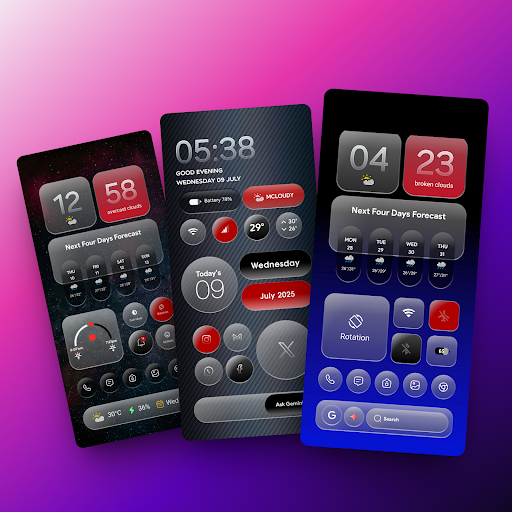


My Thing Glass KWGT used for Customised your mobile home screen setup
ATTENTION This is not a stand-alone app. My Thing Glass KWGT requires KWGT Pro app [PAID APPLICATION]. My Thing KWGT is Made For futuristic and Beautiful Home Screens. How to set up the widgets? You Need to download 2 apps 1. KWGT: https://play.google.com/store/apps/details?id=org.kustom.widget&hl=en_IN 2. KWGT Pro Key: https://play.google.com/store/apps/details?id=org.kustom.widget.pro&hl=en_IN Used ✔ Custom launcher like a Nova launcher (Recommended) How to Use : 1. DOWNLOAD My Thing Glass KWGT & KWGT Pro Application 2. Long tap on your home screen & choose the widget option 3. Choose the KWGT widget from the drop-down list 4. Tap on the widget, choose installed & select My Thing Glass KWGT 5. Choose the widget you like & adjust scaling as per the home screen 6. Congratulations! You are good to go. NOTE: If a particular widget is not properly scaled, you can adjust the size with 'SCALE' under the layer option in the KWGT main editor. Credits: - - Jahir Fiquitiva for creating Kuper Dashboard which allows for easy app making ✅ Follow Me For More ✅ Twitter :-🐥 https://twitter.com/Ahmadansari2233?s=09 Instagram :-📷 https://www.instagram.com/ahmadhacker45/ Facebook :-🧒 https://m.facebook.com/ahmad.ansari.52/about
1 year on Google Play
This app isn't currently appearing in any tracked top charts.