
SQLite Editor Pro
Updated May 13, 2026 · v1.1.4


Get the ultimate SQLite database manager with sleek Material Design!
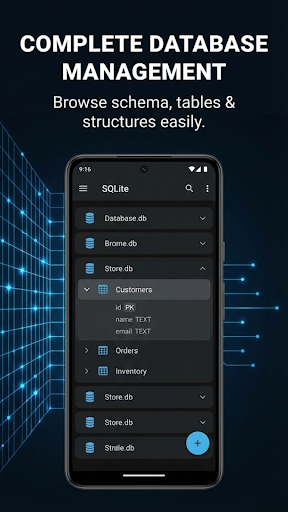
SQL Editor Pro is a powerful and user-friendly SQLite database management tool designed specifically for Android. Whether you're a developer, database administrator, student, or data enthusiast, SQL Editor Pro has all the tools you need in a modern and easy-to-use interface. ✨ KEY FEATURES 📊 Complete Database Management • Create, open, import, and export SQLite databases • Browse all tables, views, and database schema • View table structures with detailed column information • Search and filter data in real-time • Edit, add, and delete records with ease 🔍 Advanced SQL Query Editor • Execute custom SQL queries with syntax highlighting • Query history to revisit previous commands • Save favorite queries for quick access • 24+ pre-built query examples to learn from • Real-time query execution statistics 📋 Table Operations • Add new rows with custom data entry • Edit existing records inline • Delete single or multiple rows • Search and filter table data • Add or remove columns dynamically • Rename tables • Drop tables with confirmation 📤 Import & Export • Export tables to CSV format • Import CSV files into tables • Export entire database files • Save exports to Downloads folder for easy access • Timestamp-based file naming 🎨 30+ Pre-built Database Templates Choose from professionally designed templates including: • Library Manager • Expense Tracker • To-Do List • Contact Manager • Movie Collection • POS System • CRM System • Inventory Management • Restaurant Menu • Hotel Booking • Employee Management • Student Records • Gym Membership • And 17+ more! 🎯 Developer-Friendly Features • Execute DDL and DML commands • View database schema and structure • Copy databases for testing • Full offline functionality • No ads, no tracking, no data collection 🔒 Privacy First • All data stays on your device • No internet connection required • No data collection or tracking • No third-party analytics • Open and transparent 🎨 Modern Interface Design • Modern, clean interface • Dark and light theme support • Smooth animations and transitions • Intuitive navigation • Responsive design for all screen sizes 💡 Perfect For: • Mobile app developers testing SQLite databases • Students learning SQL and database management • Database administrators managing local databases • Data analysts exploring datasets • Anyone needing a reliable SQLite tool on Android 🚀 Why Use SQL Editor Pro? Unlike other database tools, SQL Editor Pro combines powerful functionality with a user-friendly interface. No complicated menus or confusing layouts - just straightforward, efficient database management at your fingertips. 🔧 Technical Features: • Full SQLite 3 support • Support for all SQL data types • Transaction support • Index management • Foreign key support • Trigger and view support 📱 System Requirements: • Android 5.0 (Lollipop) or higher • Storage permission for database file access ✅ Key Functionality Included: • No subscription required • No in-app purchases • Full functionality unlocked • No feature limitations Supported File Formats: • SQLite Database Files: .db, .sqlite, .sqlite3 • Data Import/Export: .csv (Comma-Separated Values)
0 years on Google Play
This app isn't currently appearing in any tracked top charts.