
WiFi Mouse
Updated Aug 8, 2026 · v6.0.5


Wireless mouse, keyboard, barcode scanner & AI tools for PC/Mac control
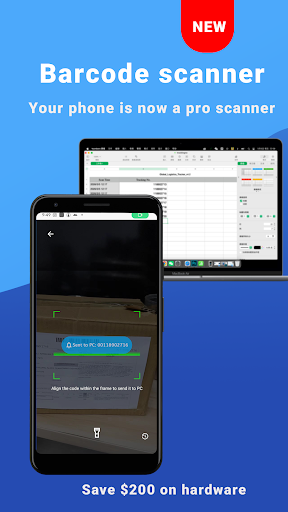
🚀 WiFi Mouse: The Ultimate PC Remote & AI Hub Transform your phone into a powerful wireless mouse, keyboard, and trackpad. Control your Windows PC, Mac, or Linux computer effortlessly via WiFi or Internet. Experience the next generation of productivity with AI-powered tools, Remote Desktop, and our new Integrated Barcode Scanner! 🖱️ PRECISION WIRELESS CONTROL (Local WiFi) Forget physical dongles! Use your phone as a high-speed wireless mouse and trackpad. • Air Mouse: Control cursor with phone movements (Gyroscope) (Pro) • Low Latency: Optimized for smooth clicking and scrolling via TCP/UDP. • Full Keyboard: Support for shortcuts and function keys. • Voice-to-Text: Dictate on your phone and text appears on your PC. 📁 FILE EXPLORER & QUICK BROWSER Manage your computer's content and navigate the web without a mouse. • File Manager: Browse, open, and manage PC/Mac files directly from your phone. • Smart Browser Control: Open URLs, refresh pages, switch tabs, and navigate history (Back/Forward) with one tap. • App Launcher: Start your favorite desktop programs instantly. 📦 SMART SCANNER TO PC Turn your phone into a professional Wireless Barcode Scanner. • Instant Beam: Scan QR codes and Barcodes (ITF-14, EAN, etc.) directly to PC. • Scan History: Access and resend your last 50 scan records instantly. • Efficiency: Perfect for rapid data entry, inventory, and logistics. 🎮 GAME PAD & MEDIA MASTER • Game Pad Mode: Use your phone as a controller for PC games (Roblox, etc.). • Media Remote: Control Spotify, VLC, YouTube, Netflix, and more. • Presentation Pro: Navigate PowerPoint and Keynote slides from your palm. • TV Remote: Control TVs via IR Blaster (on supported hardware). 🌐 CLOUD AI COMMANDER (Anywhere via Internet) Bridge your phone and computer globally with powerful cloud features: • Cross-Device Clipboard: Copy on phone, paste on PC instantly via cloud. • AI Assistant: Use AI to Translate, Summarize, or Polish text on your PC. • Global Power Control: Shutdown, Restart, or Sleep from anywhere. 🖥️ REMOTE DESKTOP • Screen Mirroring: View and control your PC screen in real-time on your phone. • Full Access: Interact with your desktop as if you were sitting right in front of it. ✅ QUICK SETUP 1. Download Mouse Server (Windows/Mac/Linux) at: https://wifimouse.necta.us 2. Install & Run. (Important: Allow "Mouse Server" through your Firewall). 3. Connect via the same WiFi or log in for Internet features. 🌐 GLOBAL SUPPORT • Multilingual: Switch interface languages via the dedicated menu. • Universal: Fully compatible with Windows, macOS, and Linux. Join millions of users! Download WiFi Mouse NOW and turn your phone into the ultimate AI-powered control hub!
12 years on Google Play
This app isn't currently appearing in any tracked top charts.