
Maple Theme Box
Updated Jan 9, 2026 · v2.2.4


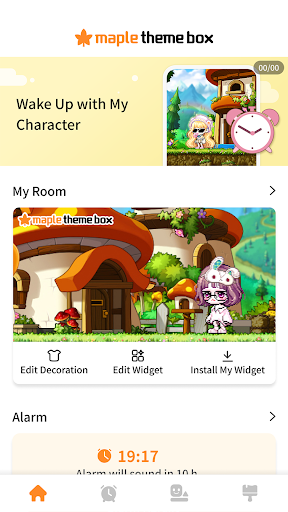

MapleStory is with you anytime, anywhere!
MapleStory is with you anytime, anywhere! Start your day alongside your character and decorate your phone with adorable MapleStory friends! ▶ Fortune of the Day Check your fortune with your character once a day and start your day off right! ▶ Alarm Set your alarm to MapleStory soundtrack - a range of fun alarm missions to get up on time! ▶ Sleep Mode & Home Screen Widgets Discover dates, clock, battery percentage display and other essential widgets in MapleStory designs. Set up Sleep Mode to use even while charging! ▶ Creating a Themed Character & Character Widget Create your own themed character with MapleStory avatars. Turn your and your friends' themed characters into widgets! Make new friends as you dive into themes and random widgets! ▶ Various Themes Check out a wide variety of themes in MapleStory Themed Box. From mobile, smartwatch, and PC wallpapers to KakaoTalk and Goodnotes themes! Fill your life with adorable MapleStory characters! ▶ Along with Friends Build new connections with Maple Theme Box. Customize your profile to express your personality! Visit other users' Rooms! Leave maple leaves and footprints! Make friends! [App Access Permissions] The app requests access permissions when in use to provide the services below. [Optional Permissions] Camera: To save and import decorated images, as well as to take screenshots and videos for attaching and submitting to Customer Support and other services. Storage: Required to save or load decorative images. Notifications: Required to use the Alarm and Sleep Mode functions. * You can still use the service without granting consent to optional permissions. [How to Revoke Permissions] - Android 6.0 or Later: Settings > Apps > Select the app > Permissions > Select the permission > Don't allow - Android Versions below 6.0: Upgrade the operating system to manage permissions, or uninstall the app. ※ The app may not offer individual consent options. You can revoke permissions using the methods above.
2 years on Google Play
This app isn't currently appearing in any tracked top charts.