
DocuMaster : PDF Editor
Updated Jan 14, 2026 · v1.10.0


Convert, Scan, Merge, Compress & Edit PDFs. Your All-in One Document Tool.
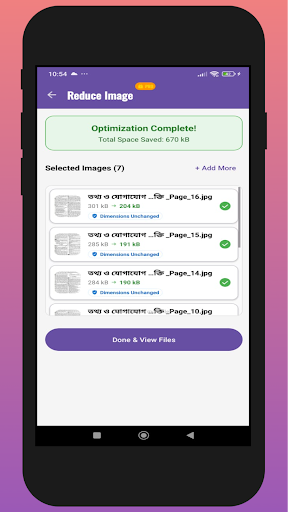
Transform your device into a powerful document management workstation with DocuMaster. Whether you need to convert Image to PDF, scan documents, merge PDF files, or secure your important data, we have got you covered. DocuMaster is an all-in-one PDF Utility Tool designed for students, professionals, and anyone who works with digital documents. No need for multiple apps—get everything done in one place with high speed and security. ✨ KEY FEATURES: 📄 Powerful PDF Converter • Image to PDF: Easily convert JPG, JPEG, and PNG photos into a single PDF file. Perfect for receipts, notes, and certificates. • Word to PDF (Docx): Convert your documents into professional PDFs while maintaining formatting. • Excel to PDF (Xls): Turn spreadsheets into easy-to-read PDF reports. • Text to PDF: Convert simple text files (.txt) into portable document formats. • Excel to CSV: Quick conversion for data handling. 🛠️ Advanced PDF Editor • Merge PDF: Combine multiple PDF files into one organized document. • Split PDF: Extract specific pages or split a large file into smaller parts. • Reorder Pages: Organize your PDF pages simply by dragging and dropping. • Add Watermark: Protect your intellectual property by adding custom watermarks. 🔒 Security & Signature • Lock PDF: Encrypt your confidential files with a strong password. • Unlock PDF: Remove passwords from PDFs you own for easier access. • Add Signature: Sign documents digitally directly from your phone. No printing needed! 📷 Smart Scanner & OCR • Document Scanner: Scan physical documents using your camera and save them as high-quality PDFs or JPEGs. • Extract Text (OCR): Intelligent text recognition to extract text from images for editing or copying. • QR & Barcode Scanner: Scan QR codes and barcodes instantly. • QR Generator: Create your own QR codes and vCards effortlessly. 🖼️ Image Tools • Image Resizer: Resize images to specific dimensions without losing quality. • Image Compressor: Reduce image file size to save storage space. • Batch Processing: Process multiple images at once to save time. 🚀 Why Choose DocuMaster? • User-Friendly Interface: Clean, modern, and easy to navigate. • Fast Processing: Convert and edit files in seconds. • Secure Tools: All processing happens on your device to ensure data privacy. • No Watermark: (Premium feature) Create professional documents without branding. How to use: Select a tool (e.g., Image to PDF, Merge, or Scan). Pick your files from the gallery or capture a photo. Adjust settings (Crop, Resize, or Reorder). Tap "Convert" or "Save". That’s it! Download DocuMaster today and simplify your document workflow! 📩 Support & Feedback: We are constantly working to improve DocuMaster. If you have any suggestions or issues, please contact us at: mansuraakterakhi68@gmail.com
0 years on Google Play
This app isn't currently appearing in any tracked top charts.