
Remote For Sky, SkyQ, Sky+ HD
Updated Nov 3, 2024 · v9.4.47


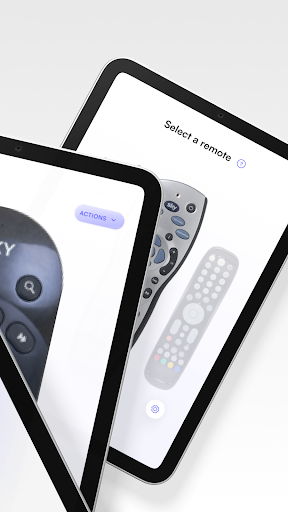


Conveniently Control Your Sky Devices Remotely While at Home or on the Go
Conveniently Control Your Sky Devices Remotely While at Home or on the Go Would you love the opportunity to control your favorite Sky devices, such as Sky+ HD, Sky Q, Sky Glass, and more, from your phone? Sky Remote makes that possible by providing a simple, stress-free way to change channels, adjust the volume, and browse without needing a physical remote control to do so. Whether you've lost your regular remote control for your devices or are simply looking for a faster and more efficient way to control those Sky devices, give Sky Remote a try! Time-Saving Features Make Using Sky Devices Easier Than Ever Before Sky Remote comes equipped with some of the latest, most advanced features designed to save you time and effort while making controlling your Sky devices a stress-free, straightforward process. These features include: Expansive selection screen that lets you choose your remote Discovery screen that provides a quick glimpse of the devices you've connected to your network, making it easy enough to find your Sky devices in seconds. Remote control screen with virtual buttons to help you navigate your devices Touchpad screen for adding your favorite buttons to the top or navigating your device Media screen for media manipulation Additional screens that provide access to settings, ad-free options, and a way to contact us when you need support or have questions you’d like to ask. When using Sky Remote, you will even have the option of using it with or without WiFi connection. If connected to WiFi, a notification will appear on the screen letting you know you’re fully connected. Easy Enough for Anyone to Get the Hang Of, Including Young Children! If you have children at home with permission to access the Sky devices, you can download our app to their tablets or phones, making it easy for them to control the devices with our universal remote app. One of our many users has even said, "It is so simple to set up that my 8-year-old grandson could (and did) do it." No matter your age or experience level with technology, you can quickly become familiarized with our easy-to-use remote app for Sky devices, ditching your old, outdated remote in the process. Available for download on Google Play and the App Store, Sky Remote is the perfect universal remote that allows you to quickly control your Sky devices within seconds from all your favorite devices. Whether you use Sky+ HD, Sky Q, Sky Glass, or any other Sky device for entertainment purposes, you can now enjoy having total control from your phone or tablet using Sky Remote. With our updated downloadable app, it's easier than ever to: Switch between remote modes Consume entertainment while at home or on the go Add devices to your set-top box within seconds Easily switch between various remote modes based on your preferences With over one million downloads, be one of many to experience the convenience of Sky Remote firsthand, downloading it and pairing it to your Sky devices in no time.
9 years on Google Play
This app isn't currently appearing in any tracked top charts.