
PDF Reader - PDF Editor
Updated Jun 24, 2026 · v1.0.0
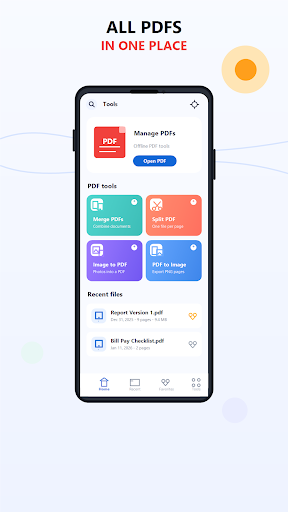


Read, search, merge, split, compress and convert PDF files offline.
PDF Reader - PDF Editor is a clean and easy PDF app for reading, organizing and editing PDF files on your phone. Open PDF documents, search inside files, manage recent documents, save favorites, and use practical PDF tools whenever you need them. The app is designed for students, work, business documents, forms, notes, invoices, books and everyday PDF tasks. Main features: • PDF Reader Open and read PDF files with a smooth, simple reading experience. • Search inside PDF Find words or text inside supported PDF documents quickly. • Merge PDF files Combine multiple PDF documents into one file. • Split PDF Split a PDF into separate pages or create smaller documents. • Extract pages Select pages from a PDF and save them as a new file. • Image to PDF Convert photos and images into a PDF document. • PDF to Image Export PDF pages as image files. • Compress PDF Reduce PDF file size for easier storage and sharing. • Recent files Quickly return to documents you opened before. • Favorites Mark important PDF files so you can find them faster. • File details View useful information such as file name, size, location and date. • Rename, delete and share Manage your PDF documents directly from the app. Why use this PDF app? PDF Reader - PDF Editor gives you essential PDF tools in one simple place. The interface is modern, clean and easy to understand, with support for light mode and dark mode. Most PDF tools work offline, so you can manage documents without needing an account. The app is useful for: • Reading PDF books and documents • Combining office files • Splitting large PDF files • Extracting selected pages • Converting images to PDF • Saving PDF pages as images • Compressing PDF documents • Sharing files with other apps Privacy and permissions: The app uses Android file picker access so you can choose the files you want to open or edit. Your documents stay on your device unless you decide to share them. Internet access may be used for ads, remote configuration, analytics or app updates, but PDF tools are designed to work locally whenever possible. PDF Reader - PDF Editor is built to be simple, fast and practical for daily document work. Download the app and manage your PDF files with a clean, free PDF reader and editor.
0 years on Google Play
This app isn't currently appearing in any tracked top charts.