
G-sensor Logger
Updated Jul 25, 2026 · v3.5.10
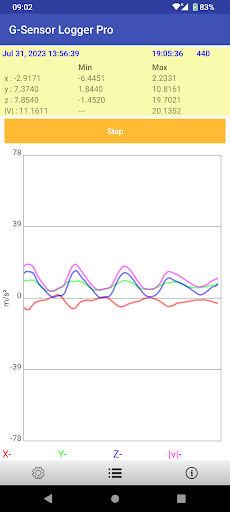


Log accelerometer data to csv file with minimum and maximum are calculated
The application capture the accelerometer sensor (or G-sensor) data into a file Features 1. The magnitude, minimum and maximum are calculated. 2. Replay 3. The captured data can be save in comma-separated values (CSV) file 4. Limit 10000 data points 5. Support English, German, French, Italian, Spanish, Portuguese, Trad. Chinese, Simplified Chinese, Japanese, Korean, Russian, Thai, Vietnamese, Malay Features in Pro only 1. No limitation of data points 2. No ads Permission * Modify/delete SD card contents is used to write CSV file to SD card * Internet access is used for ad and Dropbox access * Prevent phone from sleeping is used to keep the screen on for user taking lap How to use the app ? Press "Logging" to start logging accelerometer data. To stop logging, press the button again Press menu->"Save" icon to save the logging data to CSV file Press menu->"Dropbox" icon to upload a selected file to you Dropbox. Note : For those who need support please email to the designated email. Do NOT use either the feedback area to write questions, it is not appropriate and that is not guaranteed that can read them.
13 years on Google Play
This app isn't currently appearing in any tracked top charts.