
Resize image size in kb & mb
Updated Aug 1, 2026 · v2.30


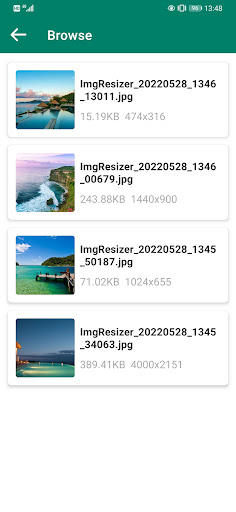
Resize images by quality and size (kb or mb)
Photo Resizer is an application software for processing pictures. It can reduce the image size, crop the image, resize the image in JPEG format, so that you can precisely control the pixel, percentage or size of the image, so that you can share the processed image to Facebook, Twitter and other social media platforms to match the size of the platform Require. Photo Resizer is a tool application that can adjust and crop pictures to the proper size. Photo Resizer can quickly and easily adjust the size and size of pictures and can maintain the best picture quality when scaling pictures. In particular, when sending emails, there are often requirements for the size of attachments (usually about 5M attachment size), and the size of a normal quality picture taken by a mobile phone or tablet is often about 3~4M, so the two pictures The attachment requirements will be exceeded, at which point Photo Resizer can come in handy to help compress the image size and reduce the size of the image as much as possible to meet the e-mail attachment requirements. Features of Photo Resizer: 1) Easy-to-use software interface 2) Free use forever 3) Does not affect the size of the original image 4) The compressed picture can still guarantee good picture quality 5) The aspect ratio can be maintained when adjusting the photo to prevent the picture from being distorted and distorted 6) You can specify the image size for compression 7) The adjusted pictures can be easily shared via email, SMS or Facebook and other social software 8) You can easily convert image formats, supporting conversion between ORIGINAL, JPG (JPEG), PNG, and WEBP formats How to use Photo Resizer: 1) Select a photo (you can get the original image from the gallery or take a photo) 2) The application enters the interface for adjusting the image size 3) Select Crop or Adjust from the bottom button to get photo manipulation options 4) On the crop page, you can rotate and adjust the aspect ratio to process the image. Click Finish to return to the image adjustment page and display the processed image, or in the adjustment options menu, compress the image according to the quality or size options. , showing the processed image 5) Click the save button at the bottom to save the processed image to the system album and return to the home page of the application Adjusting the picture through Photo Resizer and reducing the picture size can also save the storage space of the mobile phone, come and try it
4 years on Google Play
This app isn't currently appearing in any tracked top charts.