
Panasonic TV Remote Control
Updated Jul 21, 2026 · v1.0.0


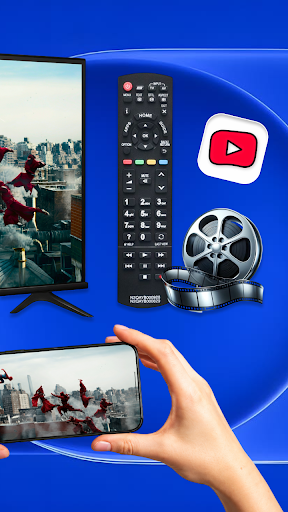


Control your Panasonic TV, cast media, launch apps and navigate over Wi-Fi.
Panasonic TV Remote Control Turn your Android phone into a convenient remote control for compatible Panasonic Smart TVs. Connect your phone and TV to the same Wi-Fi network, pair your device, and control your TV without searching for the physical remote. Panasonic TV Remote Control provides an easy-to-use interface for everyday TV navigation, playback, volume adjustment, text input, and more. Available features may vary depending on your television model and operating system. KEY FEATURES • Smart Remote Control Navigate menus and access common TV controls directly from your phone. • Touchpad Navigation Use touch gestures for smooth and convenient navigation on supported TVs. • Playback Controls Play, pause, rewind, fast-forward, and manage compatible media playback. • Volume and Channel Controls Adjust the volume, mute sound, and change channels when supported by your TV. • Phone Keyboard Enter search terms and other text more easily using your phone’s keyboard. Text input availability depends on the selected TV screen or app. • Quick App Access Open supported apps installed on your TV without navigating through multiple menus. App availability varies by TV model and region. • Multiple TV Support Discover and manage compatible Panasonic TVs connected to your local network. • Custom Remote Themes Personalize the remote interface with available designs and layouts. • Fast Local Connection Send remote commands through your home Wi-Fi network without requiring additional remote-control hardware. HOW TO CONNECT 1. Connect your Android phone and Panasonic Smart TV to the same Wi-Fi network. 2. Make sure the TV is turned on and connected to the network. 3. Open Panasonic TV Remote Control and allow it to search for compatible devices. 4. Select your TV and accept the pairing request displayed on the television, if required. 5. Start controlling your TV from your phone. COMPATIBILITY The app is designed for compatible Panasonic Smart TVs, including selected models powered by Android TV, Google TV, or other supported Panasonic platforms. Compatibility and available controls may vary by model, operating system, region, network configuration, and TV settings. Some older televisions or models without network remote-control support may not be compatible. IMPORTANT INFORMATION • Your phone and TV normally need to be connected to the same Wi-Fi network. • The television must support network-based remote-control functionality. • Some functions may not be available on every Panasonic TV model. • Streaming services require their respective apps, accounts, and subscriptions. • The app cannot turn on a TV that does not support network wake-up or is fully disconnected from power. PREMIUM FEATURES An optional Premium upgrade may be available to remove advertisements and access additional features. Pricing and purchase details are displayed in the app before confirmation. DISCLAIMER Panasonic TV Remote Control is an independent application and is not an official Panasonic product. It is not affiliated with, endorsed by, or sponsored by Panasonic Holdings Corporation or any of its subsidiaries. Panasonic and related product names are trademarks of their respective owners.
0 years on Google Play
This app isn't currently appearing in any tracked top charts.