
Power & Volume Buttons
Updated Aug 22, 2026 · v10.6


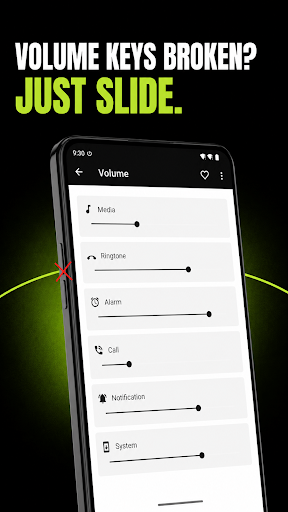


Easy way to control Power & Volume Buttons
"Power & Volume Buttons" is a powerful and versatile app designed to provide a seamless solution for users facing issues with broken power or volume buttons on their Android devices. Additionally, it offers a convenient way for users to manage their device's lock screen and control volume settings directly from the app. *Key Features:* *1. Power Button Functionality:* With "Power & Volume Buttons," users can easily lock their device screen by simply tapping on the power button icon within the app. This feature comes in handy for those whose physical power buttons are not functioning correctly or wish to avoid excessive use of the hardware button. *2. Volume Button Control:* The app offers an innovative solution for users experiencing problems with their volume buttons. It includes two virtual volume buttons, making it possible to adjust the device's volume without relying on the physical buttons. Whether your volume buttons are malfunctioning or you prefer an alternative way to manage volume levels, this feature is here to help. *3. Lock Screen via Notification:* "Power & Volume Buttons" enhances the lock screen experience by providing a notification-based lock feature. Users can activate this option through a switcher in the app. Once enabled, a lock screen notification appears, allowing you to quickly and conveniently lock your device screen with just a tap. *4. Power Menu - Restart and Power Off:* When your physical power button stops responding, you can no longer reach the system power menu, and restarting or switching off your phone becomes impossible. This optional feature adds a button to the app's notification that opens the standard Android power menu for you. This feature is turned off by default and relies on the Accessibility Service described below. *5. Current Volume Display:* Stay informed about your device's current volume level through the handy text view provided by the app. This real-time volume indicator ensures you always know your sound settings at a glance. *ACCESSIBILITY SERVICE DISCLOSURE:* "Power & Volume Buttons" uses the Android AccessibilityService API. - Purpose: the AccessibilityService API is the only way an application can open the system power menu (Restart / Power off). Our users have a broken or unresponsive physical power button and have no other way to reach that menu, so this API is used to restore a function their hardware can no longer provide. - What it does: when you tap the "Power menu" button in the app's notification, the service performs one single system action that opens the standard Android power dialog. That is its only function. - What it does NOT do: the service does not read, collect, store, log or share anything displayed on your screen. It cannot access window content, it does not record what you type, it does not monitor your activity in other apps, and it transmits nothing over the internet. No personal or sensitive user data is collected or shared through the Accessibility Service. - Your control: this feature is disabled by default. You decide whether to enable it, from the app's settings screen, and you can disable it at any time in Android Settings > Accessibility. The rest of the app keeps working normally if you leave it off. *6. Uninstallation Instructions:* 1-Go to your device settings. 2-Choose apps from the list. 3-Select the app: 'Power et volume buttons'. 4-Click on Uninstall. (Note: The app is designed to function optimally on Android devices, specifically catering to users facing power and volume button issues.)
3 years on Google Play
This app isn't currently appearing in any tracked top charts.