
Propeller Mobile
Updated Jul 31, 2026 · v1.6.2




A fieldwork solution for efficient decision-making
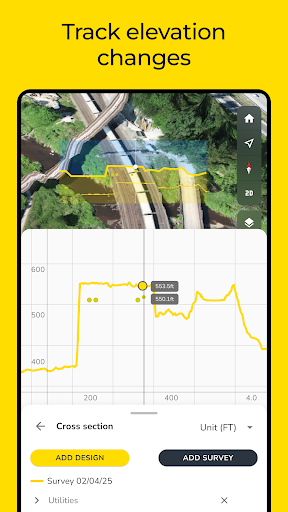
Propeller Mobile is a 3D site inspection app built to keep field crews connected, aligned, and in control. With your job site in your pocket, Propeller Mobile supports real-time navigation, site checks, and reality capture, empowering faster decisions and keeping projects on track. Propeller Mobile also works alongside your AeroPoint hardware, keeping your ground control workflow connected. More than just a map, Propeller Mobile connects every person on-site to the data they need - enabling teams to move faster, collaborate smarter, and drive results. Why Propeller Mobile? • Stay aligned, wherever you are: Turn your mobile device into a powerful site inspection tool to help you map your next move • Eliminate bottle necks: Verify, document, and adjust plans directly from the field to prevent delays and unnecessary office trips • Keep your projects on track: From live navigation to high-accuracy measurements, you’ll translate field data and designs into decisions Key features: • Live navigation: Instantly see your real-time position relative to designs and site features • 3D site mapping: Explore a digital twin of your site in 3D or 2D for informed decision-making • Media documentation: Pin images and 360° photos to the map to document conditions and share with office teams • Alignments: Measure and track your live position along alignments and stations/chainages • Grade checking: Assess grades as degrees, percentages, or ratios • Cut-fill analysis: Compare surfaces to monitor volume changes and progress over time • Point of interest tagging: Drop points to check elevations or add notes for clarity • Surface area measurement: Quickly calculate areas within any shape • Stockpile volumes: Measure stockpile volumes and create reports in seconds • Cross-section analysis: Generate cross-section charts of designs and surveys • Distance measurement: Measure point-to-point distances with precision • Elevation tracking: Monitor elevation changes and height differences • AeroPoint management: Connect to AeroPoint 2 devices via Bluetooth to monitor battery, charging status, firmware, and data upload progress - and configure custom WiFi credentials for seamless field uploads
3 years on Google Play
This app isn't currently appearing in any tracked top charts.