
Quick Recover: Photo & Video
Foshan Fashion City Network Technology Co., Ltd.
Updated Jun 30, 2026 · v1.2.0


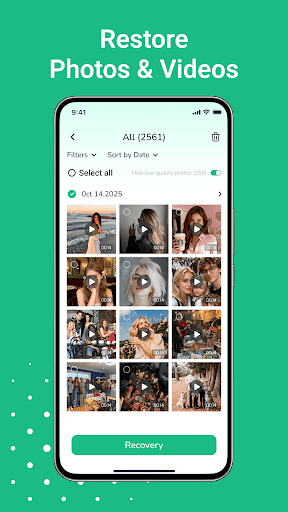

Locate recently deleted photos, videos & audio. Preview and restore.
Have you accidentally removed a photo or a video? Quick Recover helps you browse and restore recently deleted media files from accessible areas of your device's storage. It provides a straightforward way to manage and retrieve your digital content. Key Features: Organized Media Retrieval: Our tool scans your device’s accessible media library to identify recently deleted items, including photos, videos, and audio files (music, voice memos). Preview Before Selection: Use the detail view to inspect media before restoring. View image previews and video thumbnails to select exactly which files you wish to retrieve. Dedicated Recovery Folder: Restored items are saved to a specific location for easy access, ensuring they are organized and easy to find without cluttering your main gallery. User-Friendly Interface: Designed for simplicity, the app guides you through the scan and retrieval process in just a few taps. Important Notice & Limitations: Recovery Probability: Success depends on how recently the file was deleted and the device's storage activity since then. Recovery is not guaranteed for all deleted items. System Constraints: This app accesses the system’s accessible 'recently deleted' cache and folders. It does not perform low-level disk recovery or partition reconstruction. Permissions: This app requires storage access permissions to scan and restore files locally. Your data remains on your device; we do not upload your personal media to external servers. Scope: Not intended for use on factory-reset devices or physically damaged hardware. Privacy Commitment: All operations are processed locally on your phone. Your files never leave your device, ensuring your personal data remains private and secure.
0 years on Google Play
This app isn't currently appearing in any tracked top charts.