
App Search: Floating Launcher
Updated Jul 31, 2026 · v2.3.2


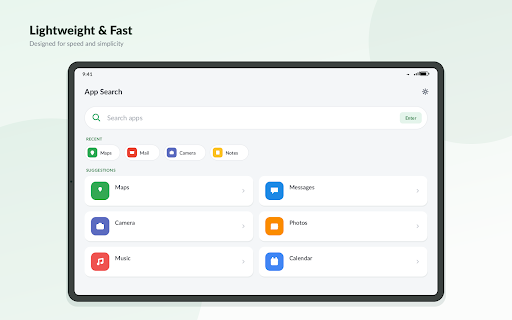


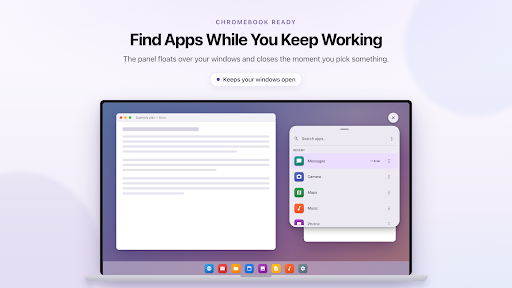


Search apps instantly from a floating bubble, widget or quick settings tile.
Stop swiping through pages of icons. App Search finds any app on your phone in seconds—from the home screen, inside another app, a floating bubble, or the notification shade. Type just 2–3 letters and your app is ready. Press Enter or let App Search launch it automatically when only one result remains. 🔍 Instant App Search • Real-time results as you type • Matches anywhere in app names (e.g. "tube" finds YouTube) • Recently opened apps shown first • Frequently used apps ranked higher • Auto-launch when only one match remains • Open App Info or uninstall directly from results 🫧 Floating Search Bubble Search without leaving your current app. • Drag anywhere—it snaps to screen edges • Tap to open search over any app • Double-tap for quick controls • Remove by dragging to ✕ • Mini, Small and Large sizes • Automatically hides in fullscreen apps and games ⚡ Quick Controls Double-tap the bubble to access: • Brightness & Auto Brightness • Media & Ring Volume • Ringer Mode • Do Not Disturb • Flashlight • Auto Rotate • Screen Timeout • Play/Pause, Next & Previous Track Choose any six controls and arrange them your way. Controls work instantly without opening Settings. 🚀 Launch From Anywhere • Floating popup over any app • Full-screen search • Home screen widget • Quick Settings tile • App icon 🎨 Designed for Android • Light, Dark & AMOLED themes • Follow System theme • 8 accent colors • Uses your system font • Material Design UI 🔒 Fast, Offline & Private • Works completely offline • No ads, accounts or sign-up • Search history stays on your device • Disable history anytime • Lightweight with minimal battery usage 📋 Permissions • Display over other apps – enables the floating bubble and popup • Notifications – keeps the bubble service running • Modify system settings & Do Not Disturb – required only for supported quick controls • App list access – finds installed apps Whether you call it an app finder, launcher, search launcher or quick launch bar, App Search is the fastest way to open any app. Questions or feedback? contact@dowble.com ──────────────────────── Foreground Service Declaration App Search uses FOREGROUND_SERVICE_SPECIAL_USE only for its optional floating search bubble. What it does The foreground service displays a small draggable overlay that users enable themselves. Tapping the bubble opens App Search over the current app, while double-tapping shows customizable quick controls. The service performs no background work—no networking, location, sensors, analytics or data processing. It exists solely to keep the overlay visible and stops immediately when the bubble is disabled. Why it starts immediately The service starts only when the user enables the floating bubble or after device reboot if they previously chose to keep it active. Users expect the bubble to appear instantly. Delaying startup makes the feature appear broken. Why it must remain running The bubble itself is the feature. If the service stops, the overlay disappears and there is no other way for the user to reopen it while using other apps. Since the service has no background tasks to defer, batching or pausing provides no benefit. Why Special Use The service is not media playback, camera, microphone, location, health, phone, remote messaging, connected device, media projection, data sync or a short-lived service. It exists only to maintain a persistent user-controlled overlay, making specialUse the appropriate foreground service type. User Control The floating bubble is disabled by default. Users must explicitly enable it and grant the Display over other apps permission, and they can turn it off at any time.
8 years on Google Play
This app isn't currently appearing in any tracked top charts.