
비밀번호 뭐였지? - 안전한 비밀번호관리 잠금
Updated Aug 15, 2026 · v1.6.3




No more memorizing!
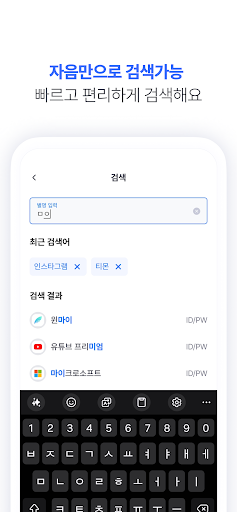
Do you remember all your IDs and passwords? Have you ever struggled to find your ID or password because you couldn't remember them? Stop the agony of memorizing IDs and passwords. What Was My Password? is an app that safely manages your passwords. Manage all your IDs and passwords with just one master password! [Powerful Features] - Manage all passwords at once with a single master password - Supports various types (Password, Account Number, Security Card, Credit Card, ID Card, Driver's License, Barcode) - Sort by Name, Registration Date, or Frequent Access - Convenient account management via groups - Initial consonant search function - Biometric authentication support for safe and fast unlocking - Design with clear account identification via thumbnails - Easily look up information using Google or Kakao login accounts (When you lose your phone, change devices, or accidentally delete an app) - Dark mode support [Recommended] - For those who find it bothersome to find their ID and password - For those who no longer want to undergo verification (mobile phone verification, email verification) - For those who get confused by having too many different passwords [Security] - AES256 + RSA2048 hybrid encryption applied - Latest security policy updates Stop memorizing passwords! Manage your information smarter! Try managing it right now with "What Was My Password?" [Accessibility Service Usage Guide] 'What Was My Password?' optionally uses the Accessibility Service for its password autocomplete feature. • Purpose: It detects ID/password input fields on login screens in other apps or browsers and automatically fills in saved accounts when the user manually selects them. (This is an auxiliary feature for screens where the Android Autocomplete framework is not supported.) • Activation: Users must manually enable this feature in system settings after agreeing to the in-app instructions, and it can be turned off at any time. • Data: It does not collect, store, or transmit screen content or personal information externally. Field detection and input are all processed within the device.
2 years on Google Play
This app isn't currently appearing in any tracked top charts.