
Analog Clock Widget
Updated Dec 27, 2015 · v1.0


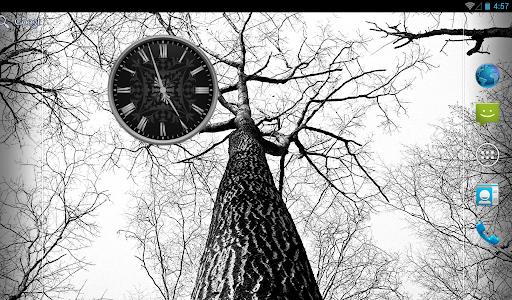


Beautiful analog clock widget for your home screen
Enjoy personalization of your home screen with this simple, beautiful and useful analog clock widget. Tap on the widget to choose one of five clock designs. • Simple, beautiful and useful application; • Widget in 2x2 and 3x3 sizes; • Five clockface designs in different colors; • App is free and no-ads. NOTE: This app is a widget. After installation you should put it on your home screen from the widget list: - For Android 4.x - Open applications, widgets tab, look for "Analog Clocks Widget" and drag it to your home screen; - For Android under 4.0 - Keep pressing the home screen till an additional menu of widgets appears. Pick out "Analog Clocks Widget" from a list of widgets. - In some cases widgets will not be added to the widget list - this is a common problem of Android 4.0.x. In this case please reboot your device.
11 years on Google Play
This app isn't currently appearing in any tracked top charts.