
ScanBridge Barcode Scanner
Updated May 12, 2026 · v1.0.0


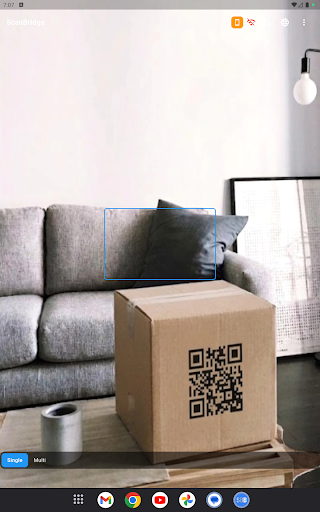


Wireless barcode scanner. Your phone scans. Your computer receives. Instantly.
ScanBridge turns your smartphone camera into a real-time, wireless barcode and QR code scanner that types directly into any application on your computer. HOW IT WORKS 1. Install ScanBridge Desktop on your computer 2. Scan the pairing QR code shown on screen 3. Scan barcodes — data is instantly sent to your computer KEY FEATURES • Real-time wireless transfer via WebSocket • 1D barcodes: EAN-13, UPC-A, Code 128, Code 39, and more • 2D codes: QR Code, Data Matrix, PDF417 • Auto keyboard input — scanned value is typed at cursor position • Multi-computer support — switch between paired PCs instantly • Scan history with CSV export • Offline queue — no data loss when connection drops • Guest mode — start scanning without an account • Languages: Turkish, English, Spanish, Chinese WHO IS IT FOR? • Warehouse & logistics workers • Retail & point-of-sale operators • Library staff • Healthcare & inventory management • Developers and QA testers PRIVACY Scanned barcode data is sent only to your paired computer. Never shared with third parties. ScanBridge Desktop is available for free on Windows, macOS, and Linux.
0 years on Google Play
This app isn't currently appearing in any tracked top charts.