
TV Cast: Chromecast & DLNA
Updated Jul 21, 2026 · v1.0




Cast videos, photos & music to your TV via Chromecast or DLNA smart TV.
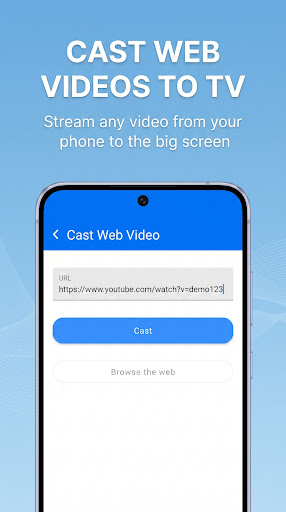
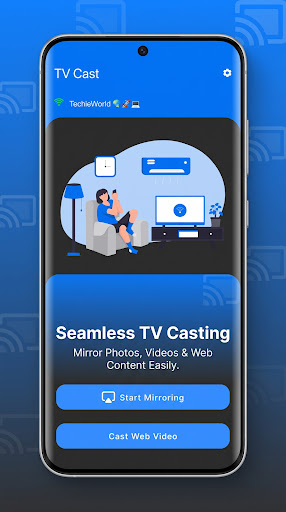
TV Cast lets you send videos, photos, and music from your phone to any smart TV — no account needed. Tired of squinting at a small phone screen? Cast to your TV in a couple of taps. WHAT YOU CAN DO - Cast to TV: send local videos, photos, and music from your phone to the TV. - Cast to Chromecast: stream to Chromecast and Google Cast devices. - Cast web video: open the built-in browser and cast any online video or live stream to your TV. - IPTV & HLS: paste an .m3u8 / stream URL and play it on the big screen. - Smart View shortcut: jump straight to your phone's built-in screen-mirroring settings when your TV supports it. - Remote control: play, pause, adjust volume, stop, and skip, right from your phone. - Recently played & favorites: jump back into what you cast before. WORKS WITH - DLNA smart TVs: Samsung, LG, Sony, Hisense, Panasonic, Xiaomi, and more. - Chromecast, Google Cast, and Android TV. - Your phone's own built-in Smart View / Cast screen mirroring, one tap away. WHY THIS APP - No sign-up, no account required; local media casting works offline. - No subscription: remove ads once with a single one-time purchase. - Lightweight and simple: cast to TV in seconds. - Reliable device discovery finds the cast devices on your Wi-Fi. HOW IT WORKS Connect your phone and TV to the same Wi-Fi network, open the app, pick your TV, and start casting. The Smart View shortcut opens your phone's own screen-mirroring settings when your TV supports it; the app does not capture or transmit your screen itself. This app shows ads to stay running; see the Data Safety section below for the full breakdown of what's collected. Note: Chromecast is a trademark of Google LLC. This app is not affiliated with or endorsed by Google, Samsung, LG, or other brands. Casting requires a compatible TV or receiver on the same Wi-Fi network.
0 years on Google Play
This app isn't currently appearing in any tracked top charts.