
Send to TV - Amtify Share File
Updated Jul 23, 2026 · vVARY


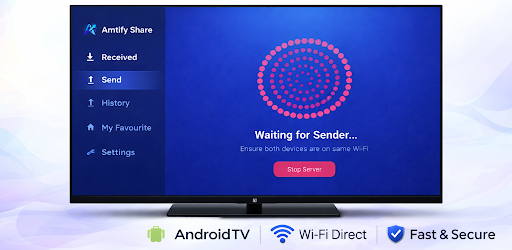


Share files, movies, and apps to Android TV from your phone via Wi-Fi.
Connect your phone to your Android TV and share files instantly! Send to TV is a powerful utility app that lets you transfer files, photos, videos, and apps from your mobile device to your Smart TV over your local Wi-Fi network. No internet connection is required—just connect both devices to the same Wi-Fi and start sharing. Key Features: 📺 Smart TV Support: Designed specifically for Android TV and Google TV interfaces. Navigate easily with your TV remote. 🚀 High-Speed Transfer: Send large movies and files in seconds using your local network speed. 📂 Share Everything: Transfer Photos, Videos, Audio, Documents, and even installed Apps (APKs) directly to your TV. 🎥 Built-in Media Player: Watch received videos and view photos directly within the app using our integrated smart player. 🛡️ Privacy First: All transfers happen locally on your Wi-Fi. Your files never leave your network. How it works: Open the app on your Phone and TV. Ensure both are connected to the same Wi-Fi. Select "Send" on mobile and "Receive" on TV. Choose your files and watch them transfer instantly! Additional Tools: App Manager: Extract and share installed APKs from your phone for sideloading on TV. File History: Keep track of all sent and received files. Favorites: Mark important files for quick access. Download Send to TV now and experience the easiest way to share files on the big screen.
0 years on Google Play
This app isn't currently appearing in any tracked top charts.