
SMZ MG6
Updated Nov 9, 2025 · vVARY


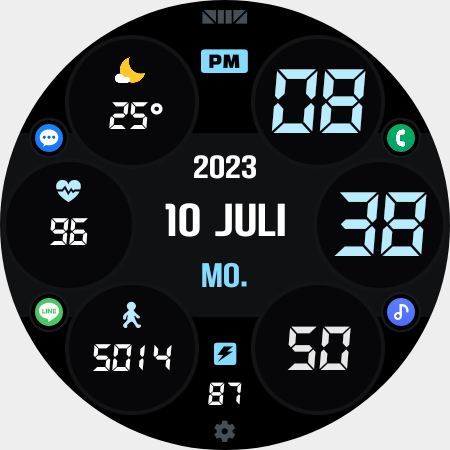


Digital Watchface for Wear OS
★The shortcut icon shown in the registration information photo can be selected from the complications.★ [How to use 24-hour format] If you want to change the time format, you can set it in the path below on the phone connected to the watch. *The connected phone - Settings - General management - Date and time - Use 24-hour format. If checked, the watch will also be in 24-hour format, and if unchecked, the watch will be in 12-hour format. [The DARKNESS of the AOD screen] In the Customize section, 'AOD Dim1' adjusts the darkness of all the AOD screen. And 'AOD Dim2' only adjusts the darkness of the background of AOD screen. [CUSTOMIZE] For customization of watchface, touch and hold the screen and touch on [Coustomize] button. [SMZ Instagram] http://www.instagram.com/smz.watch.tech [SMZ Facebook] https://www.facebook.com/smz.watchface [SMZ Homepage] https://www.smzwatch.com [E-mail is always welcome] smz.watch.tech@gmail.com
3 years on Google Play
This app isn't currently appearing in any tracked top charts.