
PDF Maker - Image to PDF
Updated Aug 2, 2026 · v1.19.4




PDF Maker – Image to PDF, JPG to PDF, PNG to PDF, Photo PDF Converter & Scanner
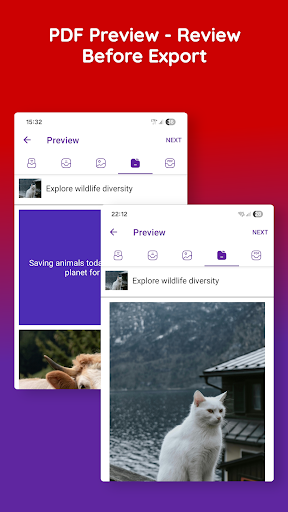
PDF Maker – Image to PDF | JPG to PDF | Free & Offline PDF Converter PDF Maker – Image to PDF is a fast, powerful, and completely FREE PDF maker and PDF converter that helps you convert images to PDF, photos to PDF, JPG to PDF, and PNG to PDF instantly — without subscriptions, without forced payments, and without watermarks. Unlike many PDF converter apps that lock features behind expensive subscriptions or demand immediate payment, PDF Maker lets you create, scan, edit, and share PDFs completely FREE. ✅ Convert Images & Photos to PDF ◆ Convert JPG to PDF, PNG to PDF, JPEG to PDF ◆ Turn photos, receipts, notes, IDs, and documents into PDFs ◆ Select images from gallery or camera ◆ Create single or multi-page PDFs instantly ◆ Perfect for homework, assignments, office documents, invoices, and forms. ✅ Scan to PDF (Offline) ◆ Scan documents using your camera ◆ Auto-crop and enhance scans ◆ Convert scanned images into clean, readable PDFs ◆ Works completely offline ✅ Template-Based PDF Creation (Unique Feature) ◆ Create PDFs using custom templates ◆ Add cover pages, headers, and layouts ◆ Ideal for reports, projects, resumes, catalogs, and presentations ◆ Save and reuse your own PDF templates ✅ Edit, Markup & Organize PDFs ◆ Crop, rotate, reorder PDF pages ◆ Add text, highlights, and annotations ◆ Mark up images before converting to PDF ◆ Sign documents directly on your phone ✅ Merge, Compress & Optimize PDFs ◆ Merge multiple images or files into one PDF ◆ Compress PDF size (low / medium / high quality) ◆ Share optimized PDFs easily via email or apps ✅ Secure & Private – No Cloud, No Internet ◆ Works 100% offline ◆ No data upload, no cloud storage ◆ All files stay on your device ◆ Optional password protection for PDFs ◆ Your privacy is fully protected. ✅ Easy Sharing & File Management ◆ Share PDFs via WhatsApp, email, Drive, or messaging apps ◆ Manage and organize PDFs in one place ◆ Rename, delete, and reorder files easily ⭐ Why Choose PDF Maker – Image to PDF? ✔ PDF Maker & PDF Converter in one app ✔ Image to PDF, JPG to PDF, PNG to PDF ✔ Offline PDF creator – no internet needed ✔ Template-based PDF creation ✔ Scan, edit, markup & merge PDFs ✔ No watermark, simple and fast Whether you’re a student, teacher, office professional, or small business owner, PDF Maker – Image to PDF gives you everything you need to create professional PDFs on the go. 📥 Download PDF Maker – Image to PDF today and convert images to PDF like a pro.
2 years on Google Play
This app isn't currently appearing in any tracked top charts.