
HP Deskjet 2700e Series Guide
Updated Aug 4, 2026 · v4.2.8


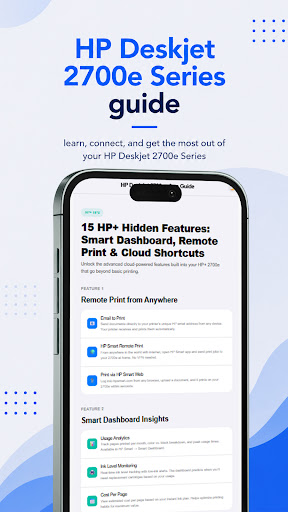


Your ultimate HP Deskjet 2700e Series guide for setup, cloud printing & fixes.
Welcome to the ultimate HP Deskjet 2700e Series guide! Whether you are unboxing your printer for the first time, trying to connect to Wi-Fi, or looking to unlock advanced HP+ cloud features, this comprehensive app provides everything you need to master your device. Designed for both beginners and advanced users, our app offers step-by-step tutorials, troubleshooting tips, and setup instructions to ensure your daily printing, scanning, and copying experience is completely hassle-free. 🚀 Key Features of the App: • Complete Beginner's Setup: Follow our simple 6-step guide to properly unbox your printer, connect it to your network, and complete your first print. Includes HP+ enrollment and Instant Ink activation tips. • Driver Installation & Syncing: Easy, step-by-step instructions for getting the right drivers across Windows, Mac, and mobile devices using the HP Smart app or web setup. • HP+ Cloud & Smart Dashboard: Learn how to monitor real-time ink levels, track monthly usage statistics, and diagnose printer health directly from your mobile device. • Remote Printing Made Easy: Discover how to print documents from anywhere using Email Print, HP Smart Remote Print, and cloud connectivity—no VPN needed! • Troubleshooting & Maintenance: Fast fixes for common printer issues. Get detailed guides on safely removing paper jams, clearing E4 errors, checking rollers, and restoring your printer without damaging the hardware. • Hidden Features: Unlock the full potential of your printer with advanced insights, auto firmware update settings, security patches, and cost-per-page analytics. 💡 And Much More Inside! This app doesn't stop at the basics. There is still a lot of other valuable content inside this application, including advanced network configurations, daily usage hacks, and routine maintenance tips to keep your printer running at peak performance. Download the HP Deskjet 2700e Series guide today and make managing your smart printer easier, faster, and more efficient! Disclaimer On: This application is an independent, unofficial educational guide and is NOT affiliated with, endorsed by, or sponsored by HP Inc. or any of its subsidiaries. All product names, logos, brands, trademarks, and registered trademarks (including HP, HP+, and HP DeskJet) are the property of their respective owners. The use of the keyword "HP Deskjet 2700e Series guide" is strictly for informational and identification purposes to assist users in operating their devices.
3 years on Google Play
This app isn't currently appearing in any tracked top charts.