
Who Touched My Phone? ThirdEye
Updated Jun 14, 2026 · v3.3.6




Who touched my phone? Catch intruders, record in background & detect spy cameras
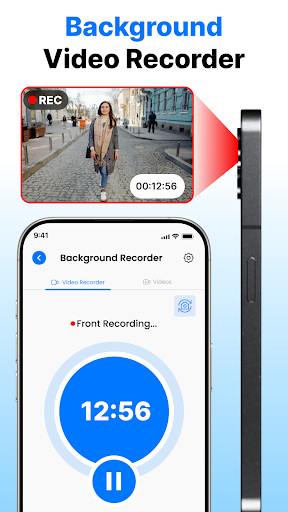
Third Eye – Who Touched My Phone? Security App 🔍 Protect Your Privacy. Catch Intruders. Secure Your Life. 🛡️ Ever wondered who touched my phone while you were away? Third Eye gives you the answer — and the proof. The ultimate all-in-one phone security app for catching intruders, recording in the background, and detecting hidden cameras. 🌟 Key Features 📸 Intruder Selfie Catcher — Who Touched My Phone Detector Automatically snaps a photo when someone enters the wrong password. Get instant alerts with timestamp and location. Know exactly who tried to unlock your phone and when. Perfect as a phone intruder detector, unauthorized access alert, and phone unlock history tool. 🎥 Background Video Recorder (BVR) Record video and audio in the background — even with the screen off. Choose full stealth or a small preview. Works as a screen-off video recorder, lockscreen video recorder, offscreen video recorder, and hidden video recorder free. Ideal for BVR and BVR Pro users who need a discreet phone monitoring app or security camera replacement. 🔍 Hidden Camera Detector — Free Scan hotel rooms, bathrooms, and private spaces for hidden cameras. A must-have hidden camera finder and spy camera detector for travelers and privacy-conscious users. 🕵️ Stealth Mode & App Hider Hide the app icon and suppress notifications for complete invisibility. Ideal for stealth security and anti-spy protection. 📱 Easy to Use Clean, intuitive interface. No technical knowledge needed. Works as a security lock app, anti-theft app, and privacy protection app all in one. ✅ Why Choose Third Eye? Whether you're asking "who touched my phone?", need to record video with screen off, or want to sweep a room for spy cameras — Third Eye delivers powerful tools in a simple package. Use it as a phone guardian, visual security dashboard, password protection app, or complete mobile security suite. 🔧 How It Works Enable the intruder detector to monitor unlock attempts. (Device admin access required for failed-attempt detection.) Keep your lock screen password-protected for best results. ⚠️ Privacy First We collect zero user data. Everything is stored locally on your device. All permissions are used solely to power app features. To uninstall: disable intruder detection first, then uninstall normally or via the in-app option. 📥 Download Third Eye now — and never wonder "who touched my phone?" again. Make sure your lock screen is password-protected. All permissions are required to provide the best user experience and ensure the app works properly. To uninstall the app, turn off the intruder detection feature in the app and uninstall it. Alternatively, use the uninstall option available inside the app.
5 years on Google Play
This app isn't currently appearing in any tracked top charts.