
Clock Live Wallpaper
Updated Dec 11, 2025 · v3.1



Set Clock Live Wallpaper on your phone!
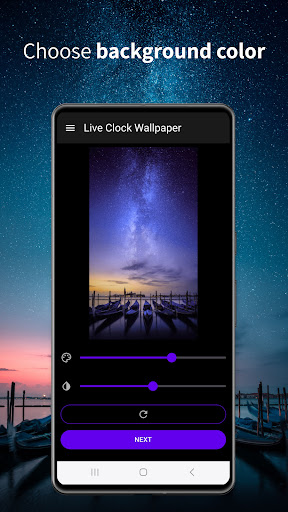
Would you like to install a live wallpaper clock lock screen as your personal backgrounds for Android™ devices at no additional cost? In the newly upgraded Clock Live Wallpaper app for Android™, you will find an elite collection of clock background live themes that you can instantly set as your new mobile wallpaper! Transform Your Display Style, Adjust the Layout, and Master Your Screen Personalization Now is the perfect moment to start a complete device personalization makeover by choosing the most popular visual packages for Android™ operating systems that dominate the market today. Inside this comprehensive interface decoration platform, you can browse aesthetic galleries, find a cool content bundle completely free for your mobile operating system, and discover stunning clock live wallpapers to modify your home screen. We have simplified this process to the highest degree so that you can search quickly and begin a fluid download of premium Clock Live Wallpaper elements directly to your modern Android™ smartphone. Choose one of the trendsetting live clock screensavers from our diverse catalog and apply it to get the best visual highlights curated specifically for your Android™ wallpaper lock screen. Use these attractive, complimentary mobile wallpapers to stand out from the crowd and impress your friends with all the unique styling options this premium Clock Live Wallpaper app brings to your Android™ ecosystem. It is an indispensable utility tool to customize your display, view real-time clock wallpapers for Android™, and manage the layout of your gadget's interface. Bring Your Smartphone Screen to Life Right Now Download the premium high-resolution version of the Clock Live Wallpaper app for Android™ this very second! Set your own personalized Android™ clock live wallpaper for lock screen and enjoy a fantastic animated clock live wallpaper on your mobile phone or tablet. This is a must-have application for anyone who loves to tailor the user interface to their individual taste, design the screen configuration, or simply restyle their home screen using creative graphical tools and advanced layout settings to personalize their home screen clock widget. How to use these beautiful wallpapers and style your Clock Live Wallpaper: 1. Choose a unique clock wallpaper design or use the my photo clock wallpaper feature directly from your personal gallery. 2. Choose a matching background color that perfectly complements your individual style. 3. Choose an analogue or digital clock face, display day and date, and adjust the clock position on screen for a custom look. 4. Choose interactive clock wallpaper effects—simply touch the screen to see real-time moving visual effects. 5. Set clock wallpaper on your main interface or configure the app as a lock screen clock for a complete visual upgrade. This top-rated Android™ application contains only validated high-definition illustrations. Enjoy a complete visual transformation with Clock Live Wallpaper on your Android™ phone today! In this specialized live clock background app, exclusive graphical collections for Android™ devices await you in magnificent HD quality.
5 years on Google Play
This app isn't currently appearing in any tracked top charts.